Last updated: November 2, 2026
Want an Opal alternative that only blocks Reels and Shorts? Scroll Less blocks full-screen Reels and Shorts inside the real Instagram and YouTube apps on iPhone, with your existing accounts and no lookalike app. Your DMs, Stories and Search keep working, and so do regular YouTube videos and subscribed channels.
In our Nov 2, 2026 hands-on test (Opal 4.22, iOS 26.6.2), Opal blocked the whole Instagram and YouTube apps, so DMs, search and regular videos went along with Reels and Shorts. Scroll Less blocked only Reels and Shorts inside the real apps.
Picking a screen time app is weirdly stressful. You’re trying to spend less time on your phone, so naturally you spend an hour on your phone reading about apps that help you spend less time on your phone. (No judgment. Everyone does this loop at least once. You’re doing great.)
So let me save you some of that hour.
The short answer
Opal, one sec, ScreenZen, Brick and Jomo are all built around whole apps: blocking them, delaying them or putting them on a schedule.
Scroll Less works differently. It blocks full-screen Reels and Shorts inside the real Instagram and YouTube apps on your iPhone, while your DMs, Stories, Search and profile keep working normally.
If your problem is “I lose hours to Reels and Shorts, but I still need Instagram and YouTube,” that difference is the whole decision.
Opal vs Scroll Less and other apps like Opal
| App | What it blocks or slows | Blocks only Reels/Shorts, keeps the rest of the app? | Best for |
|---|---|---|---|
| Scroll Less | Full-screen Reels in Instagram; Shorts in YouTube’s Shorts tab, and on Home and in search when tapped | Yes. Instagram DMs, Stories, Search and profile, plus regular YouTube videos, search and subscriptions keep working | Keeping Instagram and YouTube, minus Reels and Shorts |
| Opal | Apps and websites you choose, with sessions, schedules and time limits | No. In our Nov 2, 2026 test, it blocked the whole app | Scheduled focus sessions |
| one sec | An intervention before distracting apps open, plus timed blocks | No. In our Nov 2, 2026 test, it had no Reels-only or Shorts-only option | Breaking the open-it-on-autopilot habit |
| ScreenZen | A delay before opening apps, scroll interruptions, app goals and strict blocks | Not in the real apps (our Oct 31, 2026 test) | A pause before opening an app |
| Brick | A physical device you tap to block the apps you chose, and tap again to unblock | Not listed | A block you can’t swipe away, because it’s not on your phone |
| Jomo | Blocks apps and websites at the times you set, with mindful breaks | Not listed | Blocking app categories at set times |
The question that actually matters
Before comparing feature lists, ask yourself one thing: what do I want gone?
If the answer is “my phone, for the next two hours,” you want a whole-app blocker. Lock everything, go do deep work, come back later.
If the answer is “the Reels feed, but not my group chat,” a whole-app blocker is a sledgehammer for a thumbtack. When Instagram itself is blocked, everything inside it goes too, including the messages you actually wanted. So you unblock it to answer a friend, and Reels are right there waiting.
That’s the gap Scroll Less was made for.
Opal alternative that keeps the rest of the app
Opal blocks the apps and websites you pick, on a schedule or during focus sessions, with daily app limits on top. Great for deep work. Less great when you just need to answer one DM.
Here’s what you get with Scroll Less instead:
- Reels and Shorts blocked inside the real apps. You keep opening Instagram and YouTube from your home screen like always, with the accounts you already use.
- DMs, Stories, Search and your profile keep working. Nothing important gets caught in the crossfire. Only full-screen Reels are blocked.
- Regular YouTube videos, search and your subscriptions keep working. Shorts are blocked in the Shorts tab, and on Home and in search when you tap one.
- Reels your friends send are still watchable. A Reel shared in DMs stays blocked in the app, but you can open it in Scroll Less’s built-in browser.
In short: you keep the parts of social media that connect you to people, and lose the parts designed to keep you swiping.
Best for: Opal is best for scheduled focus sessions when you want whole apps gone. Scroll Less is best when you want Instagram and YouTube without Reels and Shorts.
Opal vs Scroll Less: hands-on test
Tested by the Scroll Less team on November 2, 2026.
We set up an Opal rule for Instagram and YouTube on an iPhone and opened both apps. Then we ran our usual five checks with Scroll Less: open Reels, open Shorts, open an Instagram DM, search Instagram and watch a regular YouTube video.
Here’s the short version. Opal has no way to block only Reels or Shorts. The whole app was blocked, so DMs, search and regular videos were blocked along with Reels and Shorts. Scroll Less blocked Reels and Shorts inside the real apps, and the rest kept working.
How we tested:
- Device: iPhone on iOS 26.6.2.
- Opal: Opal 4.22 (App Store version), tested November 2, 2026.
- Scroll Less: control run on October 31, 2026, on the same iOS version (the same run as our ScreenZen test).
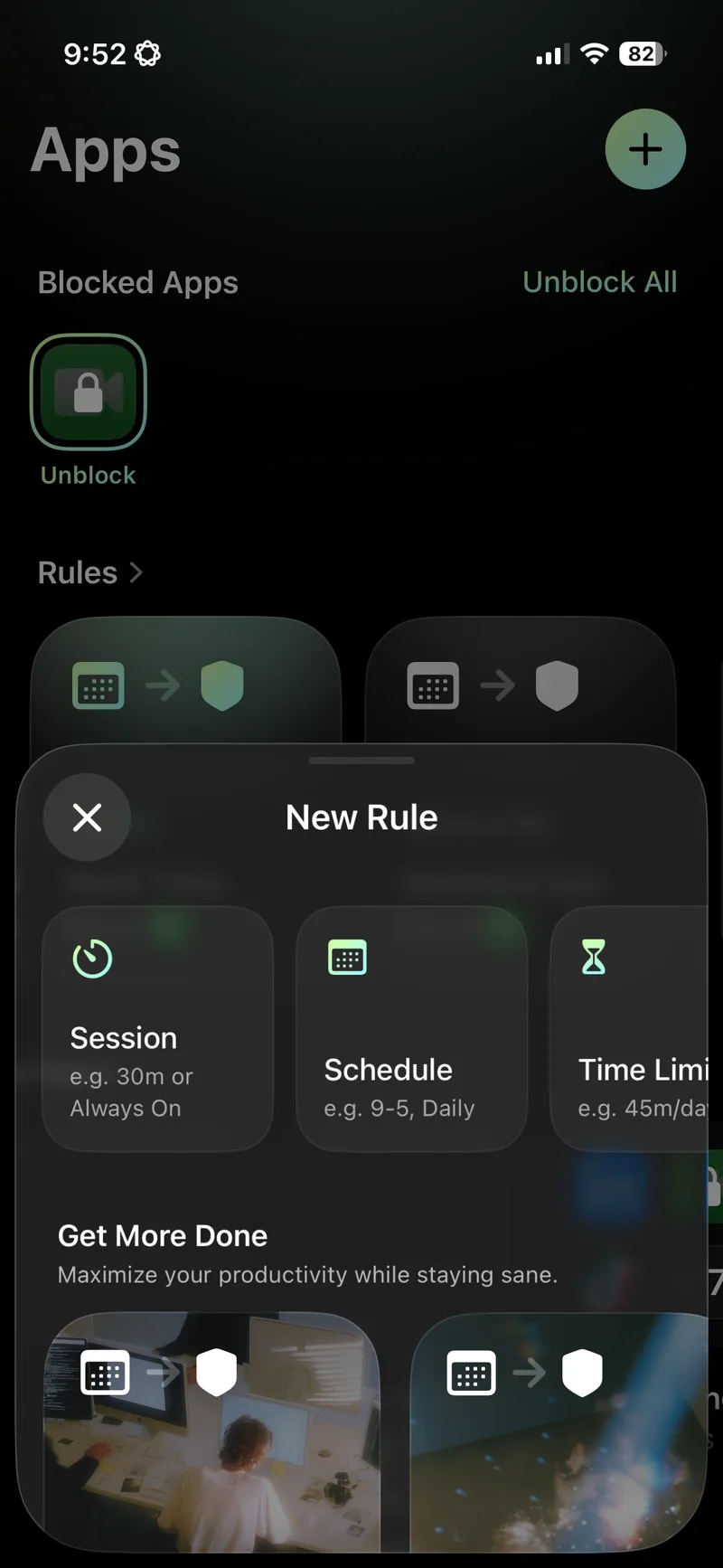
- Setup: the most targeted Opal rule we could make. New Rule offers Session, Schedule or Time Limit, and each one picks whole apps. We created a new rule that blocked Instagram and YouTube.
- Steps: with the rule on, open Instagram and open YouTube. Then run the five checks with Scroll Less.
| Action | Opal (rule on) | Scroll Less |
|---|---|---|
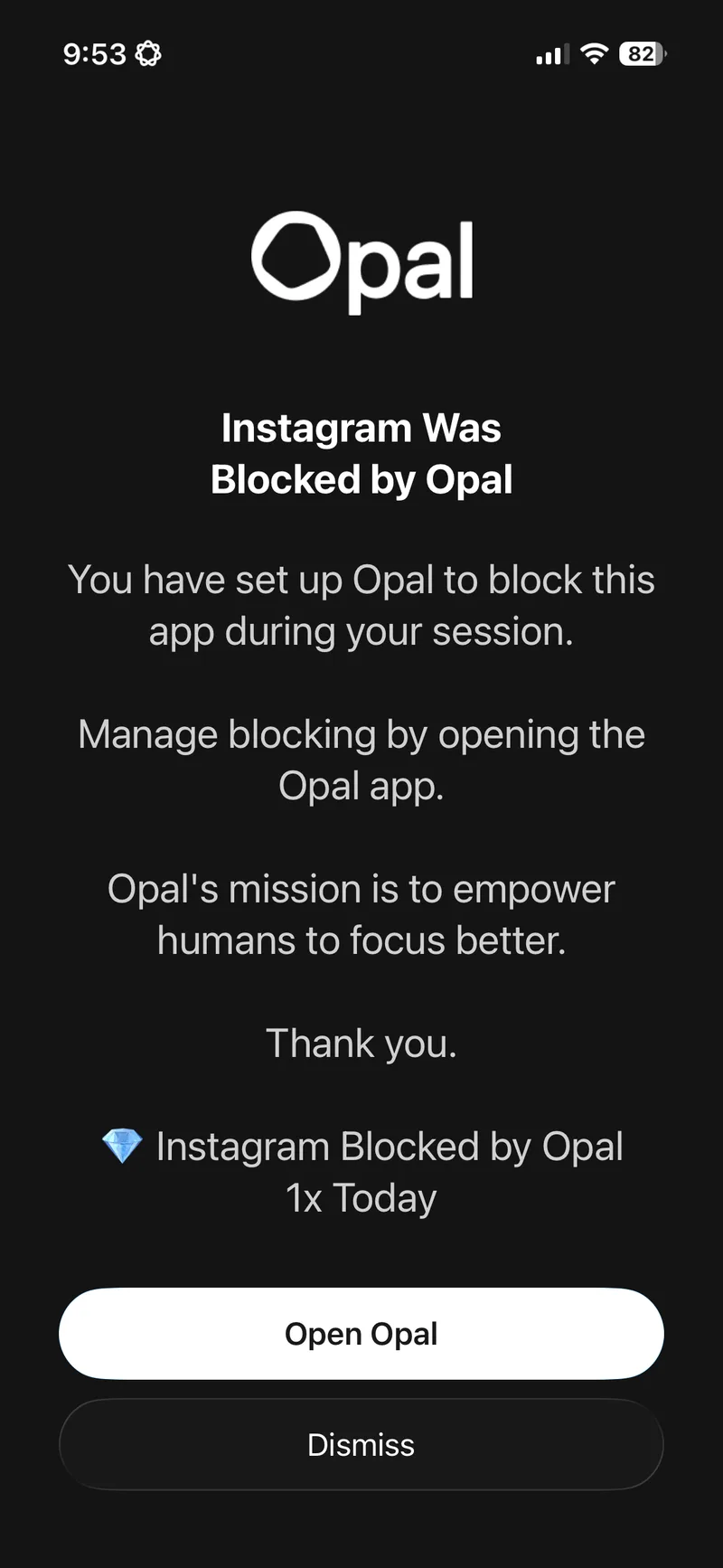
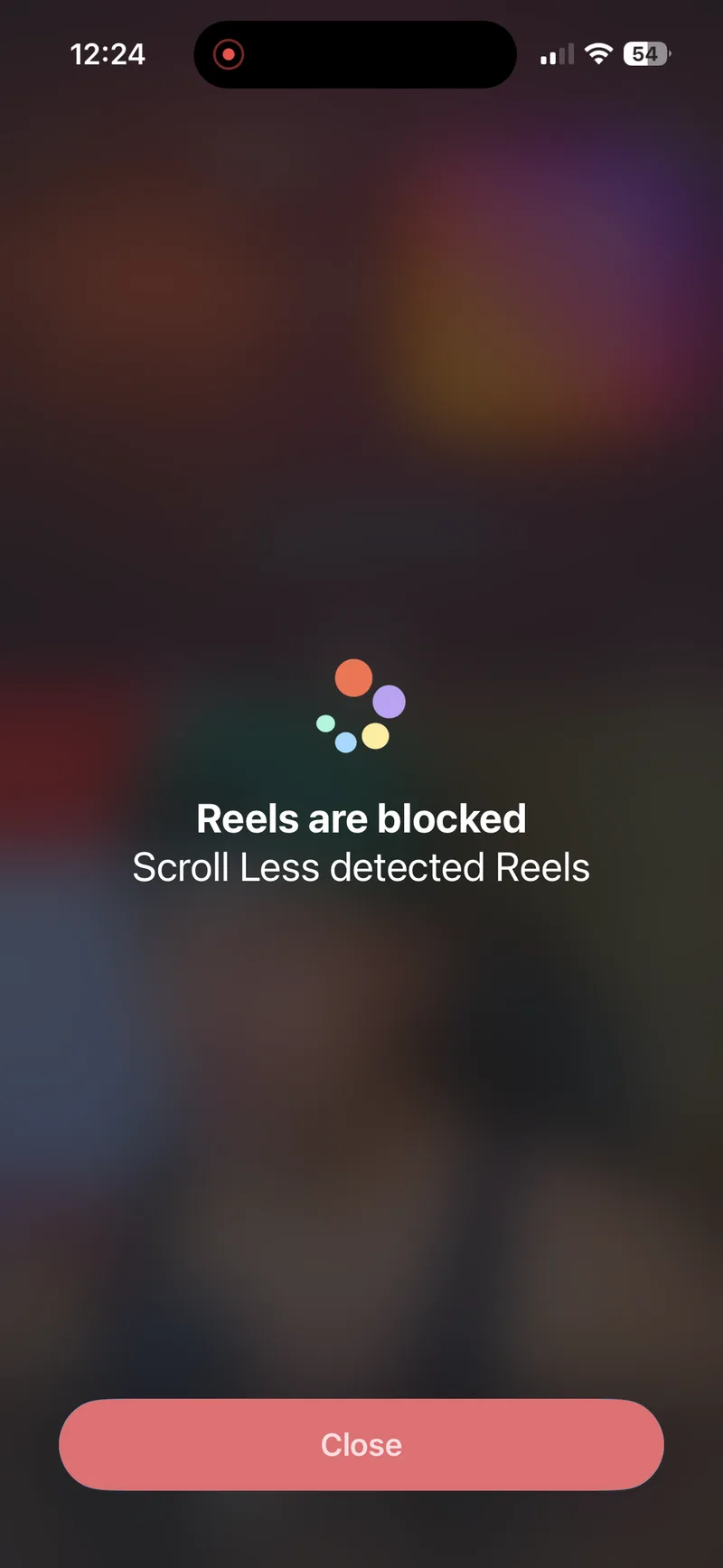
| Open Reels in Instagram | The whole app was blocked (“Instagram Was Blocked by Opal”) | Blocked (“Reels are blocked”), rest of the app works |
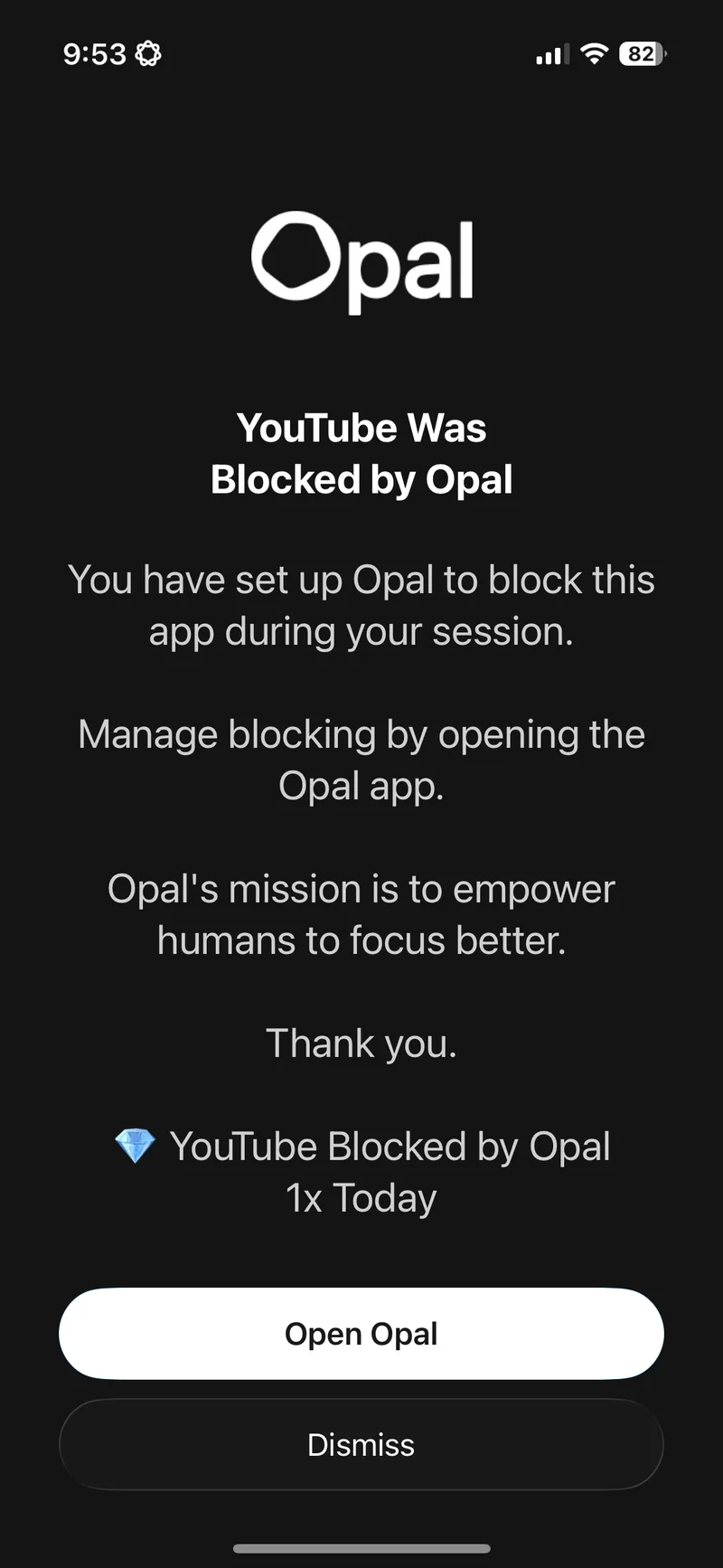
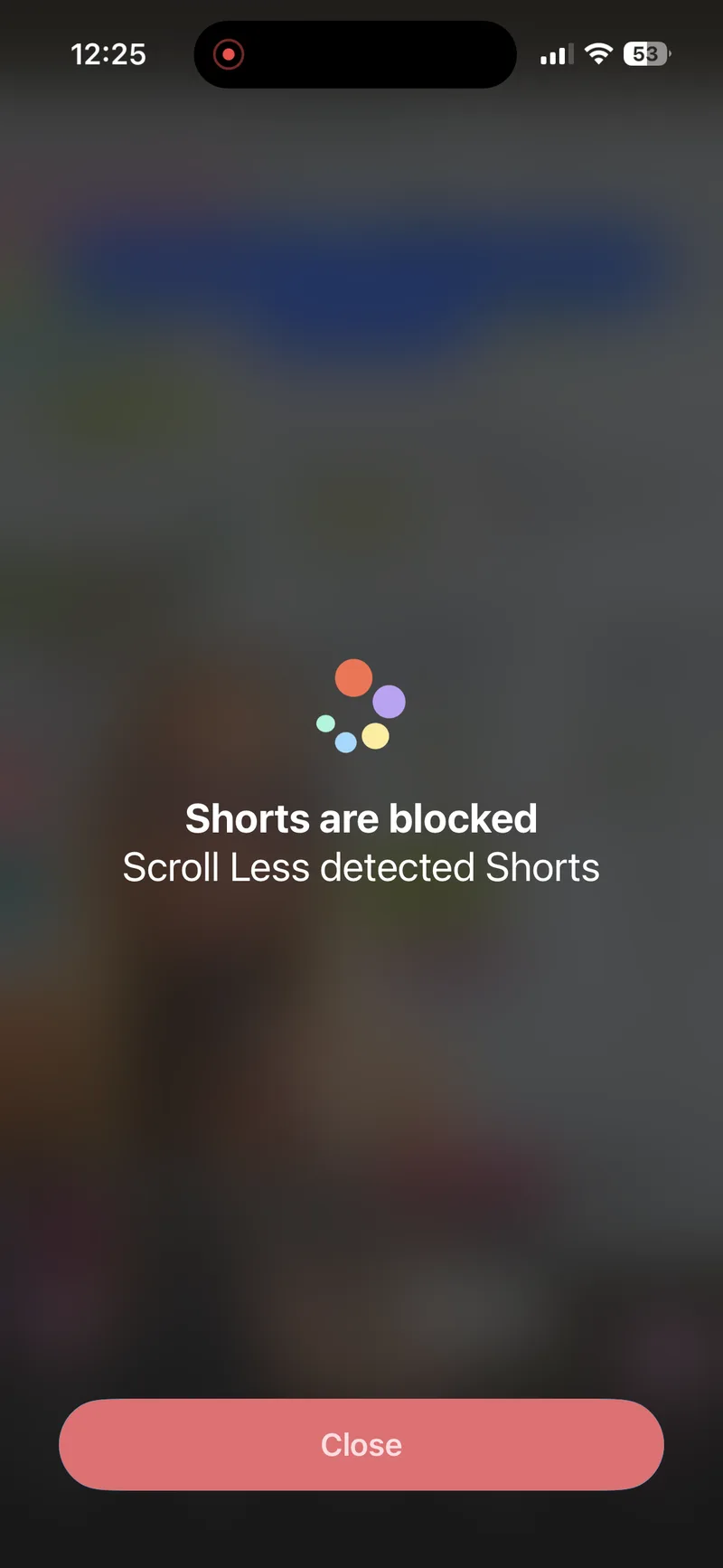
| Open Shorts in YouTube | The whole app was blocked (“YouTube Was Blocked by Opal”) | Blocked (“Shorts are blocked”), rest of the app works |
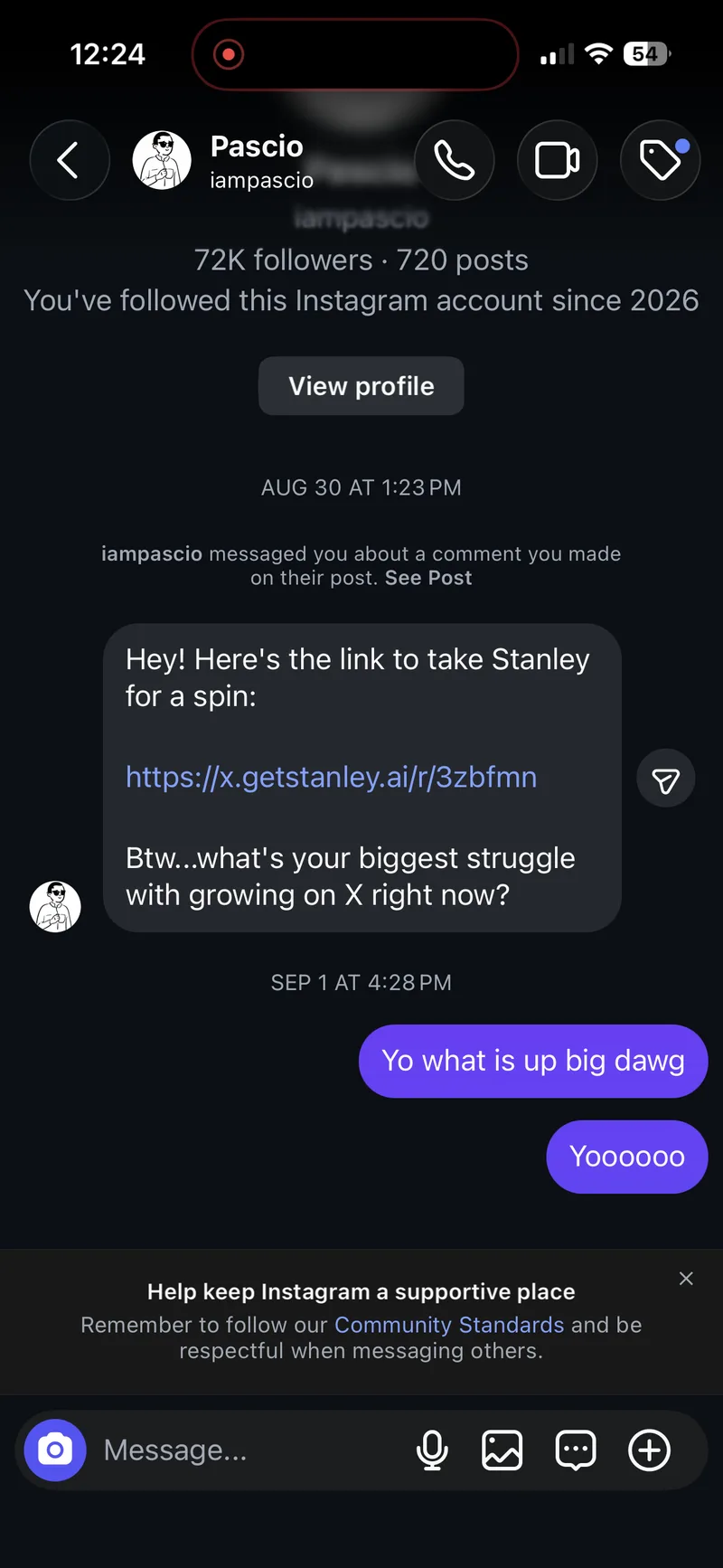
| Open an Instagram DM | Blocked, because the whole app was blocked | Works |
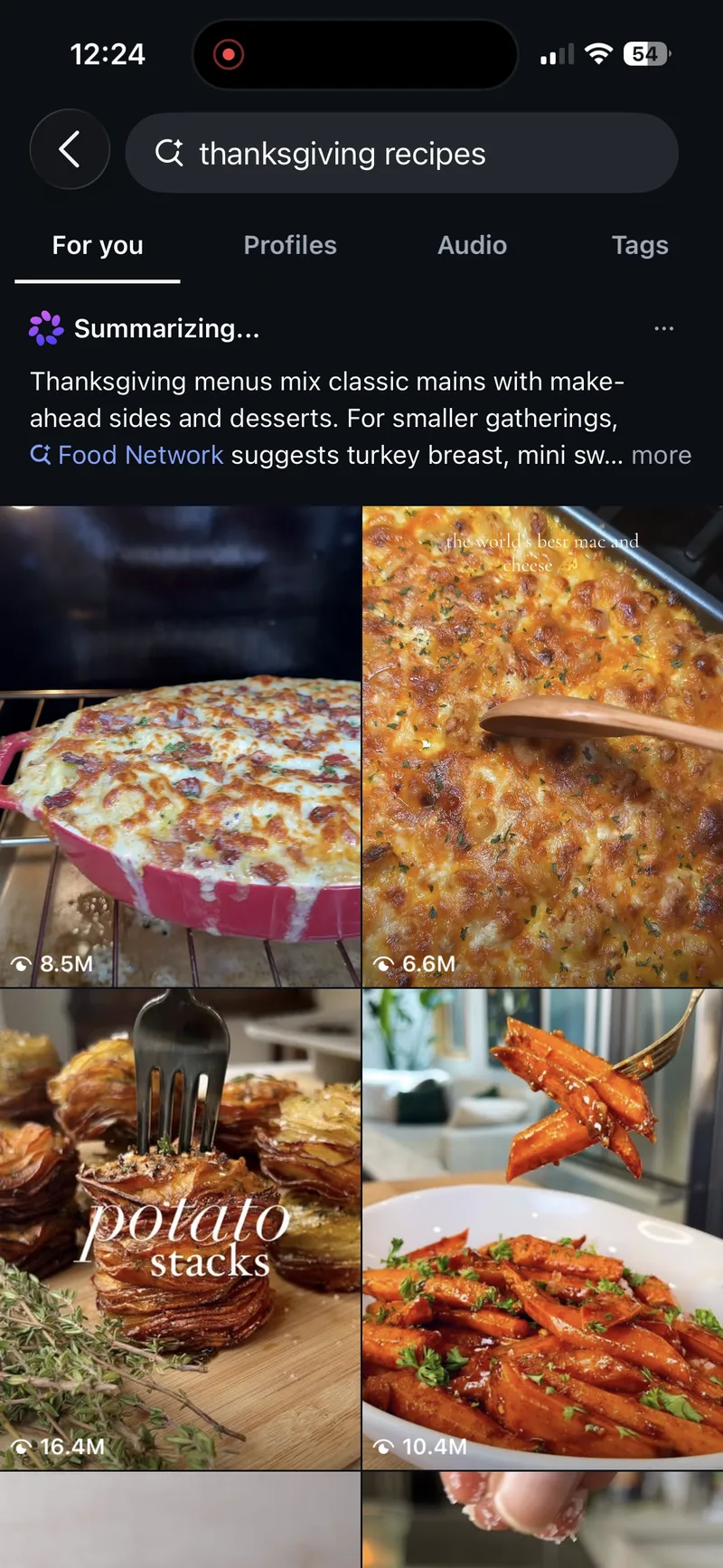
| Search Instagram | Blocked, because the whole app was blocked | Works |
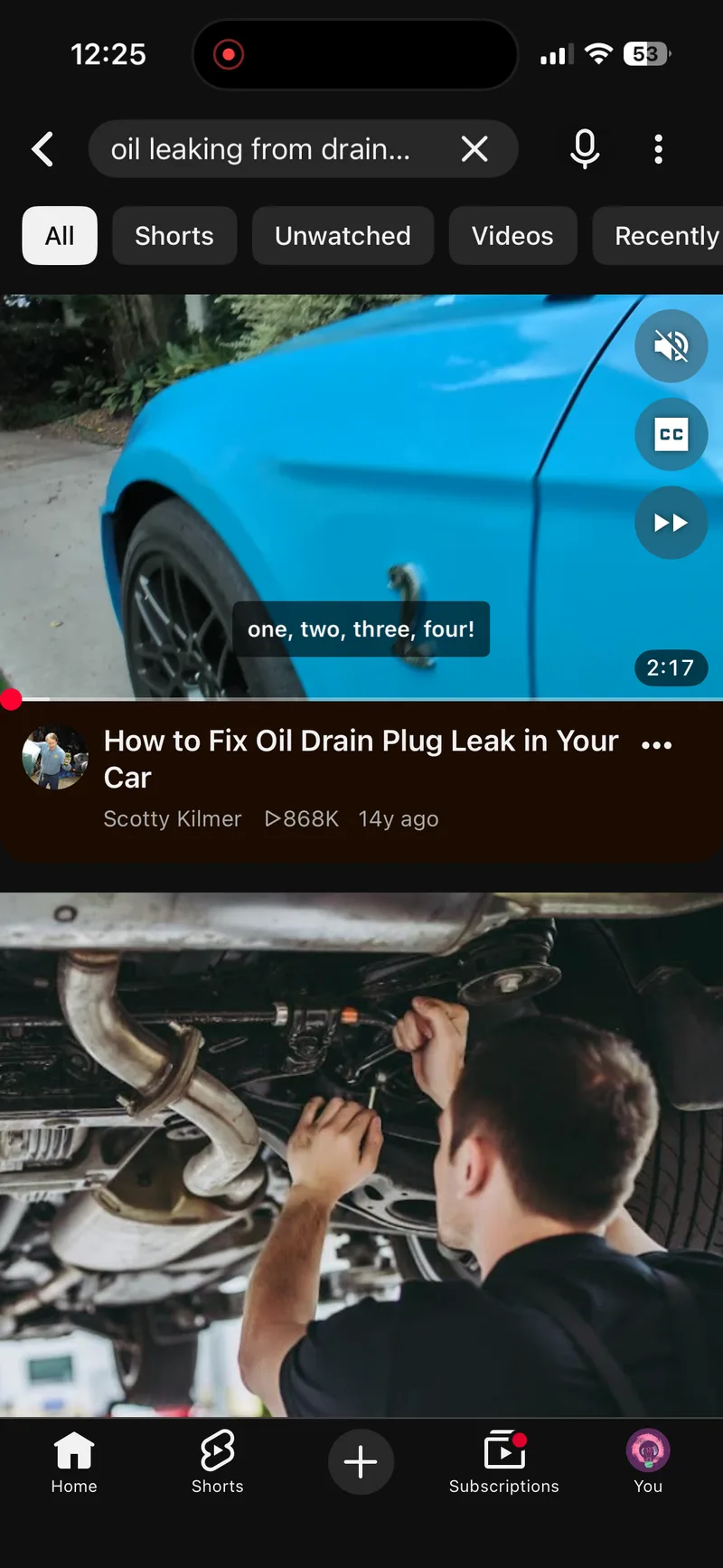
| Watch a regular YouTube video | Blocked, because the whole app was blocked | Plays |
| Reels-only or Shorts-only option | None found | Yes |
| Built-in browser | None found | Optional extra |
A few notes from the test:
- Opening Instagram or YouTube brought up Opal’s block screen: “You have set up Opal to block this app during your session.” The only buttons were Open Opal and Dismiss.
- Opal’s rules come in three kinds (Session, Schedule and Time Limit). Each one blocks the apps you pick, the whole app.
- With Scroll Less, tapping into Reels or Shorts brought up a “Reels are blocked” or “Shorts are blocked” screen. In the same apps, a DM thread opened with the message box ready, an Instagram search loaded and a regular YouTube video played.
- Opal is good at what it’s built for, which is making whole apps disappear during focus time. If you’d rather keep the real apps and lose only the feeds, that’s the gap Scroll Less fills.
one sec alternative for blocking Reels
one sec puts an intervention in front of whole apps, and in our Nov 2, 2026 test it had no Reels-only option. Here’s our full one sec alternative for iPhone, with the hands-on test.
ScreenZen alternative that keeps your DMs
ScreenZen makes you wait before opening distracting apps, and adds limits and strict blocks on top.
It’s built around the whole app. Scroll Less is built around the feed inside it, so your DMs and Stories never get locked up along with the Reels. There’s a full breakdown in the ScreenZen alternative guide.
Best for: ScreenZen is best for a pause before opening an app.
Apps like Opal: Brick and Jomo
Brick is a physical device: you tap your phone on it to block the apps you’ve chosen, and tap again to unblock.
Jomo blocks the apps and websites you choose at the times you set, and lets you take mindful breaks.
Both are solid if you want less of an app overall. Scroll Less is for when you want the app, just not its endless vertical feed.
Best for: Brick is best for a block you can’t swipe away. Jomo is best for blocking app categories at set times.
Quick way to choose
- You want Instagram and YouTube without Reels and Shorts, and your DMs untouched: Scroll Less.
- You want your whole phone locked down for a few hours of focus: that’s what whole-app blockers like Opal are for.
- You want both: run a whole-app blocker for work hours and Scroll Less the rest of the time.
Want to see how Scroll Less stacks up against browser-style blockers too? That’s in the roundup of the best apps to block Reels and Shorts on iPhone.
Want even less feed? Use the built-in browser
If you open Instagram, YouTube or Reddit inside Scroll Less’s built-in browser, you can hide even more:
- Instagram: Explore, the feed, suggested posts, and Stories (Stories are hidden by default).
- YouTube: Home, Related videos, and Subscriptions.
- Reddit: the Home and Popular feeds.
Those are built-in-browser features. Blocking Reels and Shorts in the real apps works without them.
How to try Scroll Less
- Download Scroll Less from the App Store.
- Open it and follow the setup steps.
- Choose what to block (Reels, Shorts, or both), then start the Blocker.
- Go back to Instagram and YouTube and use them like normal.
For walkthroughs, see how to block Instagram Reels but keep your DMs and how to block YouTube Shorts on iPhone.
Frequently asked questions
Is there an Opal alternative that only blocks Reels and Shorts?
Yes. Scroll Less blocks full-screen Reels and Shorts inside the real Instagram and YouTube apps on iPhone. Your Instagram DMs and regular YouTube videos keep working.
Are there apps like Opal that don’t block the whole app?
Yes. Scroll Less blocks only Reels and Shorts, so Instagram and YouTube stay usable for messages, Stories, search and regular videos.
Does Opal block only Reels?
Opal’s App Store listing describes blocking whole apps and websites, with schedules, app limits and focus sessions. It doesn’t list a Reels-only option.
What’s a good one sec alternative for blocking Reels?
Scroll Less. Instead of a pause before Instagram opens, it blocks Reels inside the real Instagram app, while your DMs, Stories and Search keep working.
Is there a ScreenZen alternative that keeps Instagram DMs working?
Yes. With Scroll Less, only full-screen Reels are blocked in Instagram. DMs keep working, and a Reel a friend sends you can be watched in Scroll Less’s built-in browser.
Do I have to delete Instagram or YouTube to stop watching Reels and Shorts?
No. You keep both apps and your existing accounts. Scroll Less blocks Reels and Shorts, and the rest stays.
Block the feed, not your friends
Whole-app blockers ask you to give up Instagram and YouTube for a while. Scroll Less asks you to give up Reels and Shorts. That second trade is a lot easier to stick with.
Get Scroll Less on the App Store.
And then close this tab. You’ve done enough research for one day.