Last updated: November 2, 2026
In our Nov 2, 2026 hands-on test, one sec had no way to block only Reels or Shorts inside the real Instagram or YouTube apps. Its interventions and blocks cover the whole app. Scroll Less blocks Reels and Shorts inside the real apps, and DMs, search and regular videos keep working.
So if you want a one sec alternative that keeps Instagram and YouTube and just loses the feeds, that’s Scroll Less.
You’ve probably been here. one sec makes you pause before Instagram opens. You pause. You feel calm, maybe even a little proud. Then you open Instagram anyway, because your friend sent you a meme, and the Reels are right where you left them. (The pause was great. The 40 minutes after it, less so.)
one sec did what it promised. It just can’t tell the meme from the Reels, because they live in the same app.
one sec alternative: the short answer
one sec works on the whole app. It puts an intervention in front of the apps you pick, and it can block them outright for a set time.
Scroll Less works on the feed inside the app. Instagram and YouTube open like normal. Reels and Shorts are blocked, so there’s nothing to breathe through when you only came for a DM.
What one sec does
From our test, one sec is built around two things:
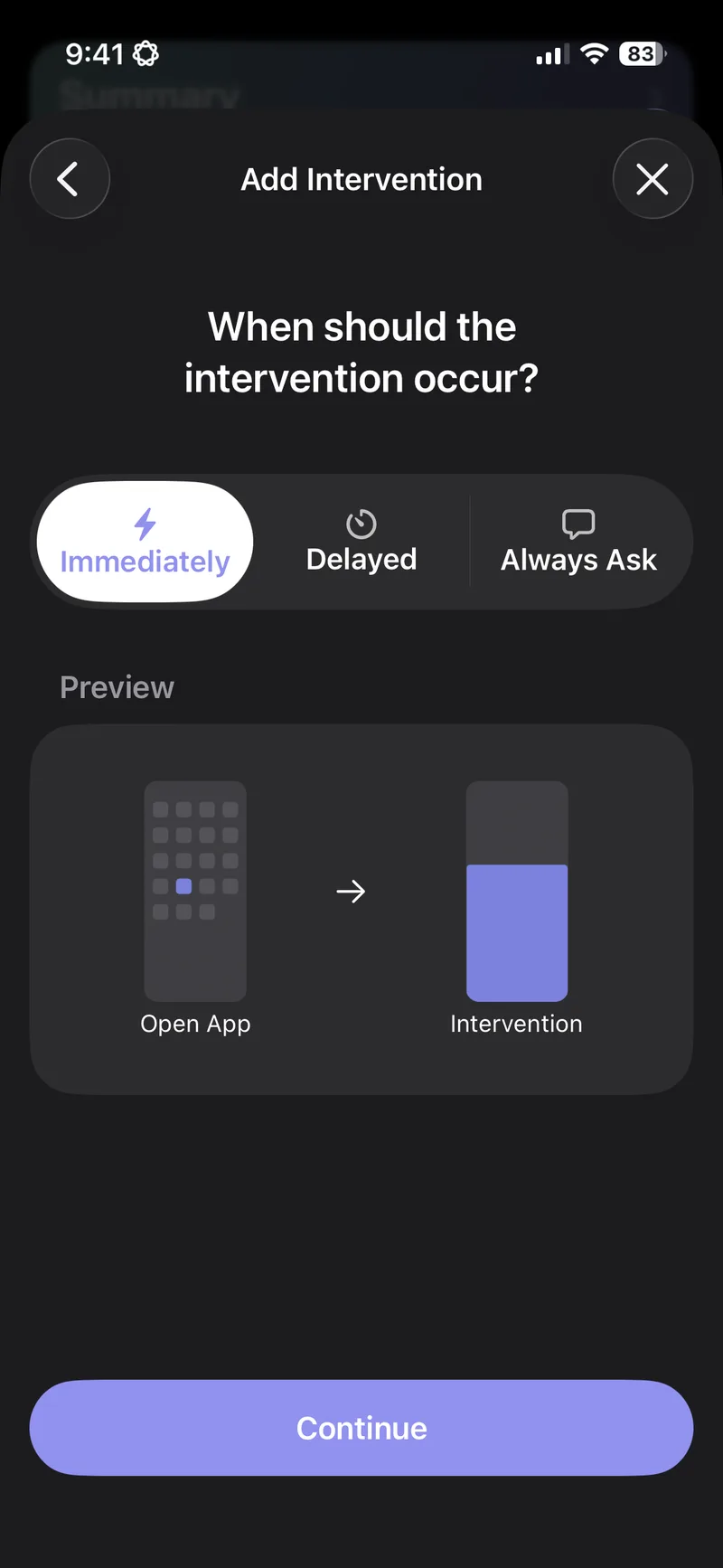
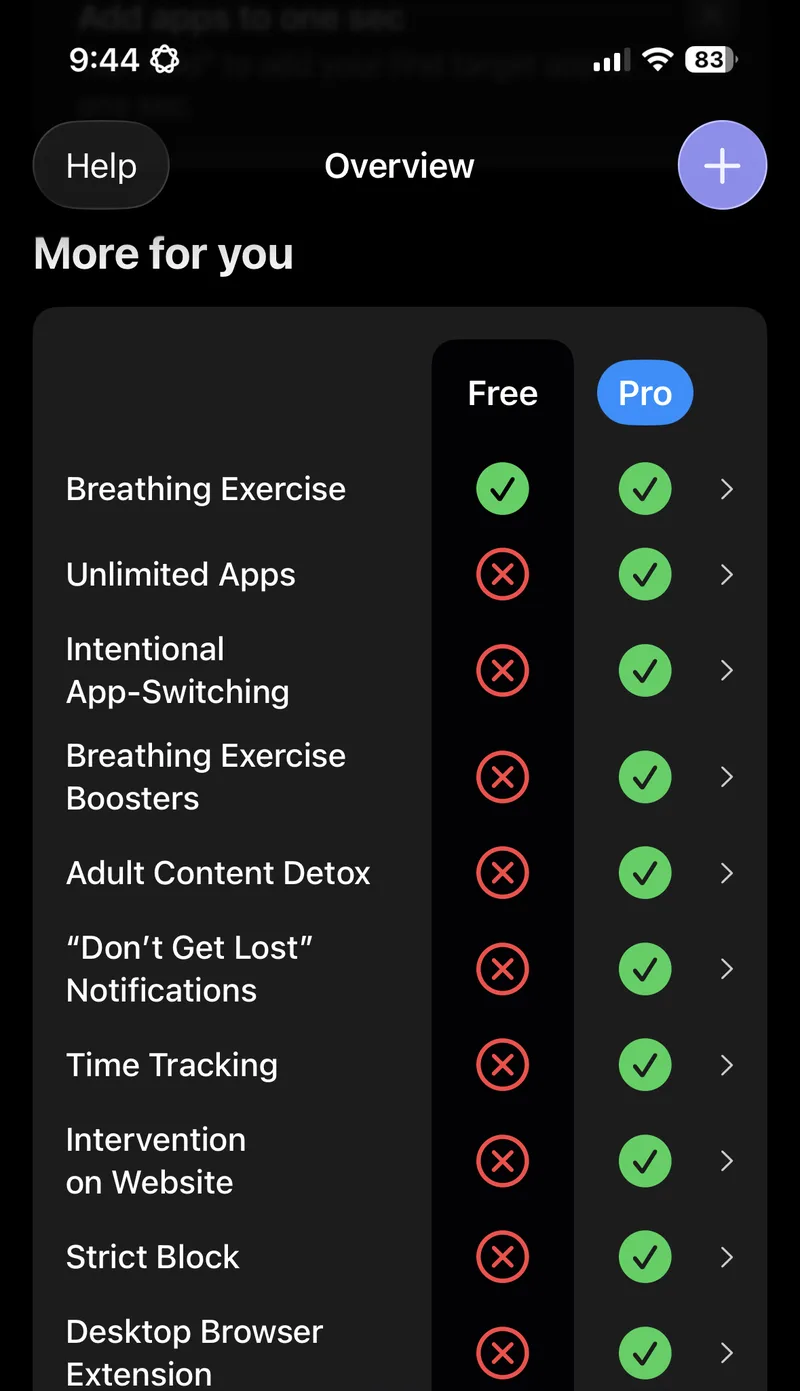
- Interventions. You pick when one sec steps in: Immediately, Delayed or Always Ask. Its Free vs Pro table lists the Breathing Exercise under Free.
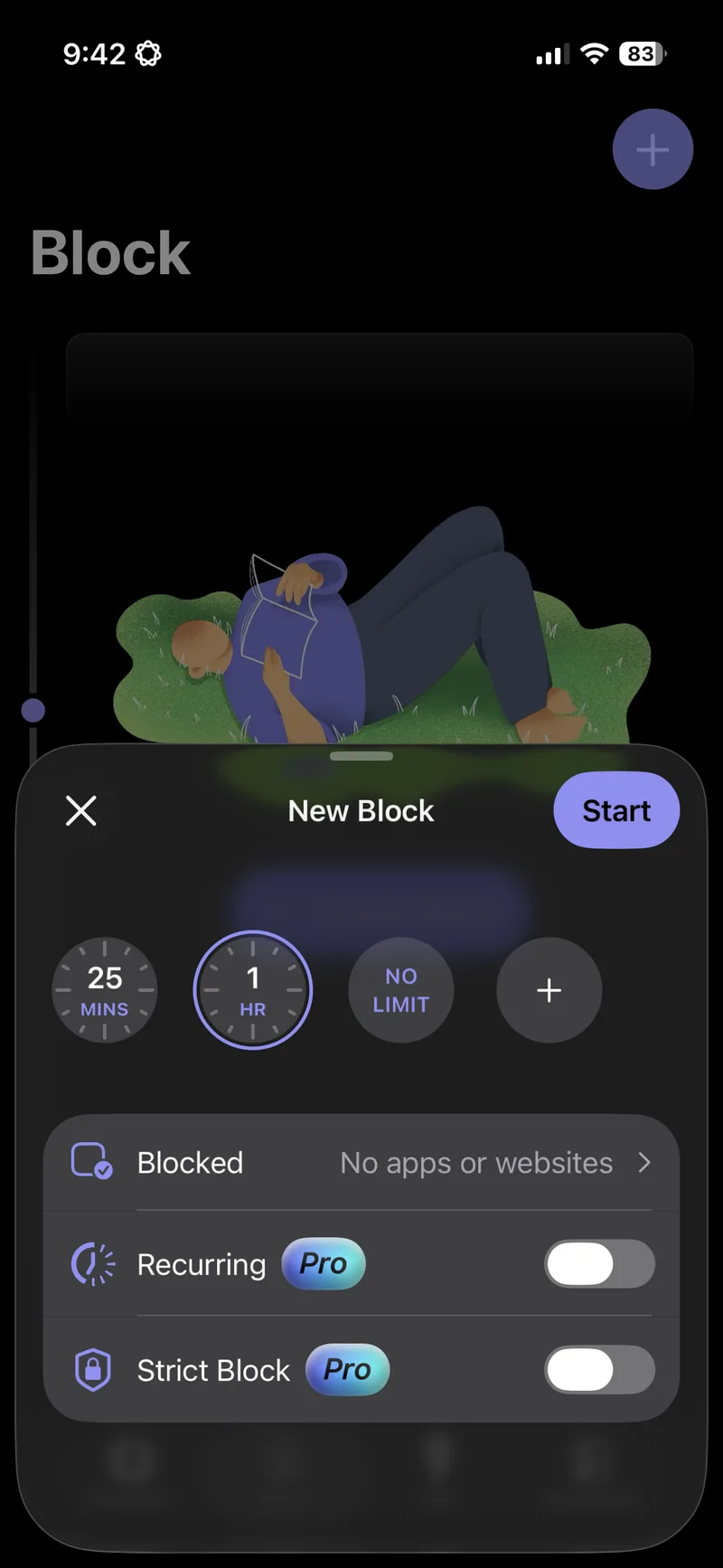
- Blocks. You choose a length (25 minutes, 1 hour or no limit) and the apps or websites to block. Recurring blocks and Strict Block are Pro features.
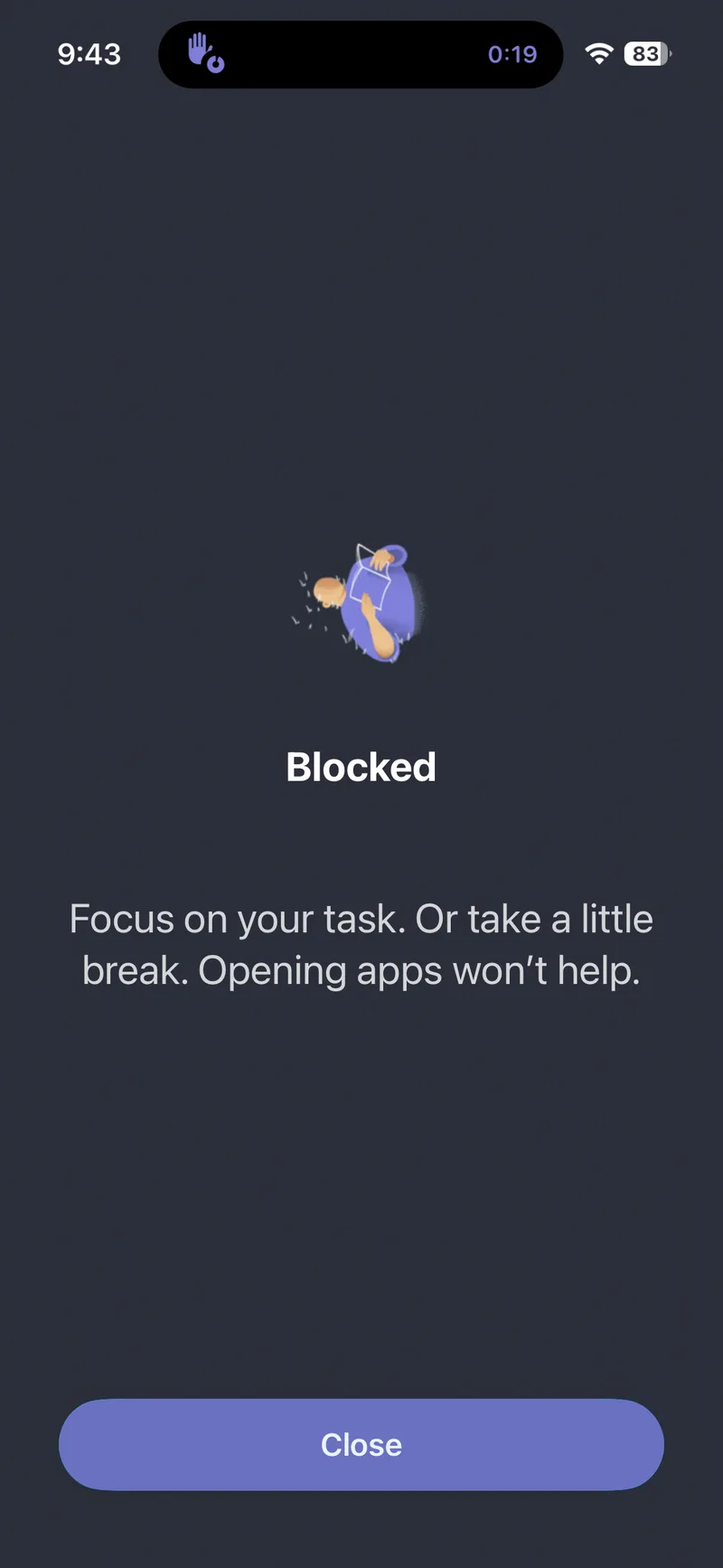
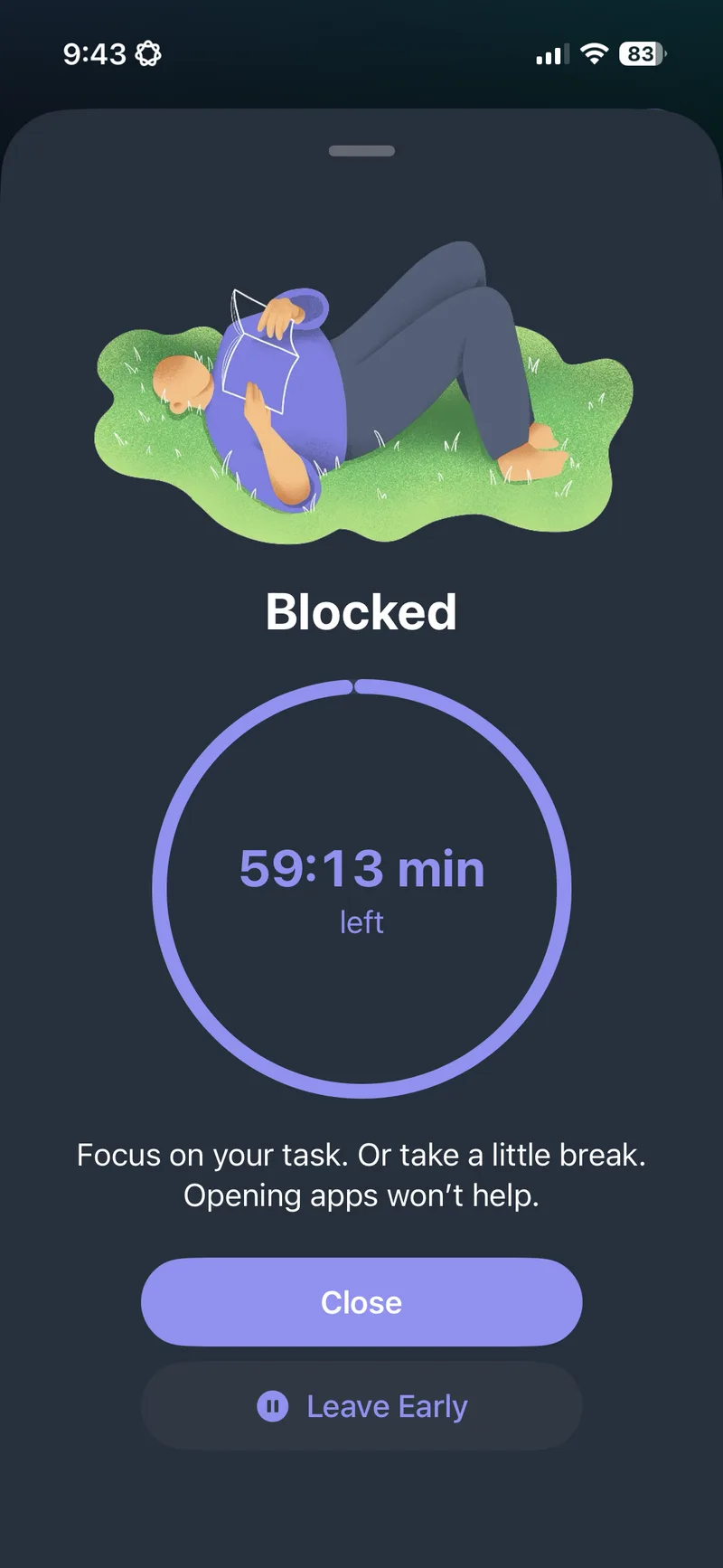
When a block is on and you open a blocked app, you get a full-screen “Blocked” page that says “Focus on your task. Or take a little break. Opening apps won’t help.” (Fair point, honestly.)
It’s a thoughtful app, and plenty of people like it. If you want friction in front of a whole app, it’s a good pick.
one sec vs Scroll Less: hands-on test
Tested by the Scroll Less team on November 2, 2026.
Method
- Device: iPhone on iOS 26.6.2.
- one sec: version 6.1.1, free tier, tested November 2, 2026.
- Scroll Less: control run on October 31, 2026, on the same iOS version (the same run from our ScreenZen test).
- Steps:
- Set up one sec in the most targeted way it allows for Instagram Reels and YouTube Shorts.
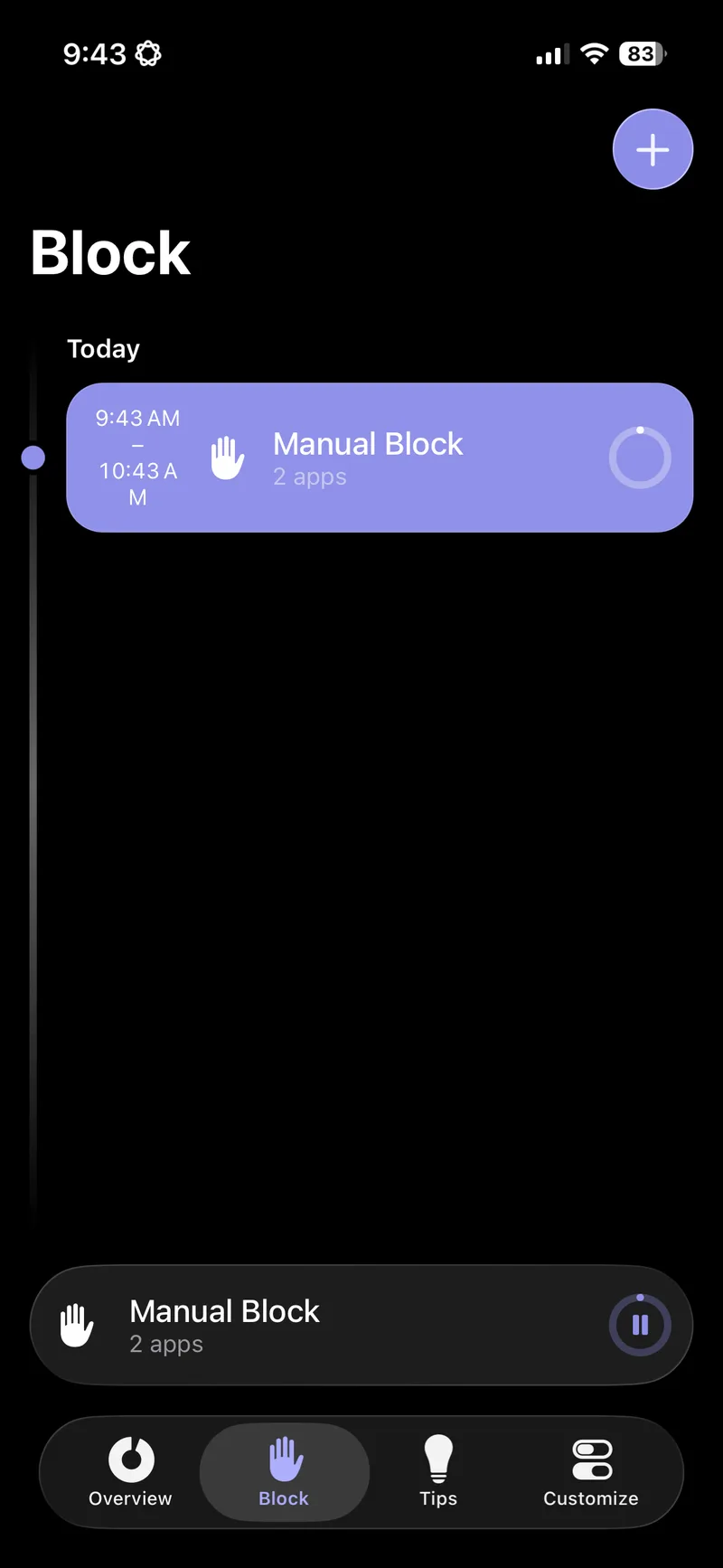
- Start a one-hour manual block on Instagram and YouTube.
- Open Instagram and YouTube with the block on.
- With Scroll Less (Oct 31 control run): open Reels, open Shorts, open an Instagram DM, search Instagram and watch a regular YouTube video.
What we found
one sec’s setup goes app by app. We looked for a way to target only Reels or Shorts and didn’t find one, and there’s no built-in browser for Instagram or YouTube. So the most targeted setup was a one-hour manual block on Instagram and YouTube. With the block on, the whole app was blocked, so DMs, search and regular videos were blocked along with Reels and Shorts.
| Action | one sec (manual block on Instagram and YouTube) | Scroll Less |
|---|---|---|
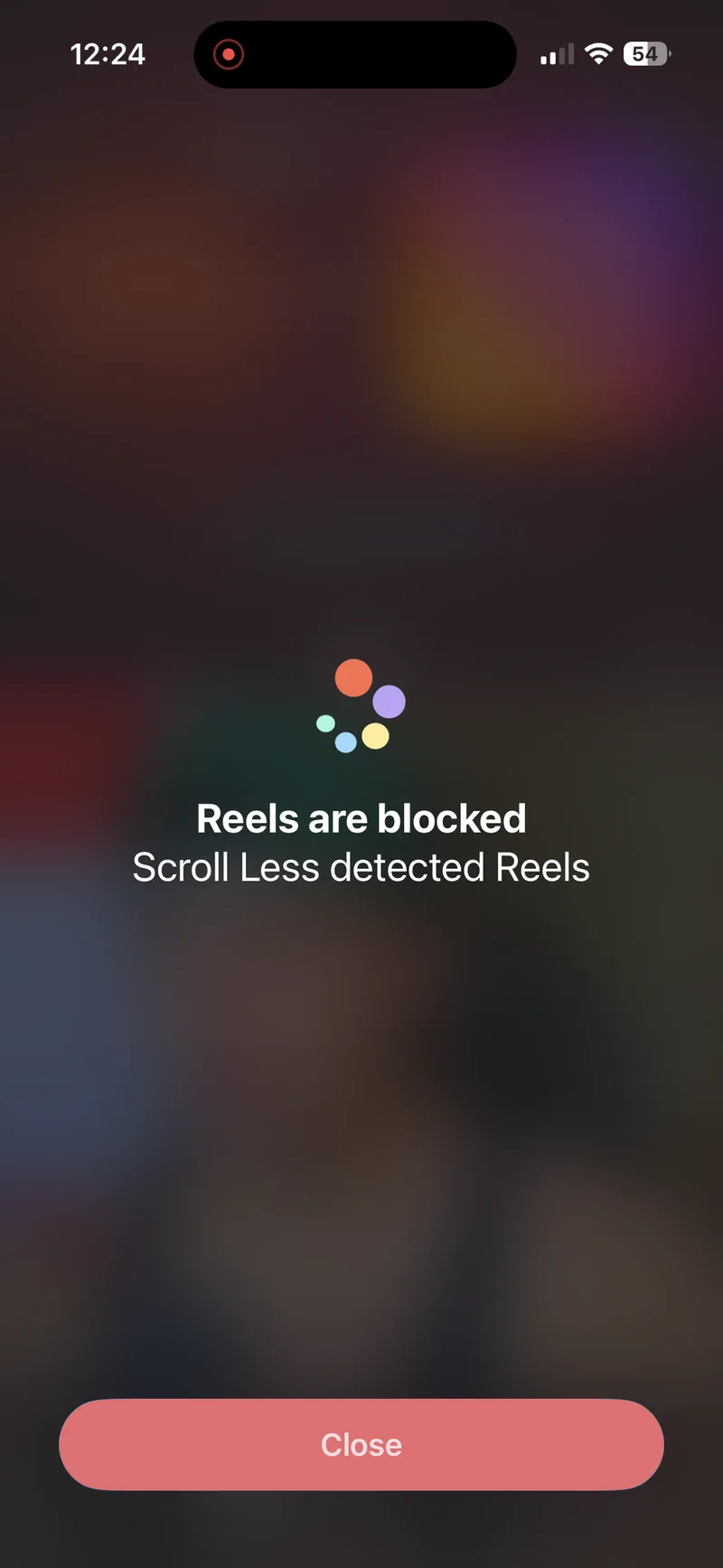
| Open Reels in Instagram | The whole app was blocked (“Blocked” page) | Blocked (“Reels are blocked”), rest of the app works |
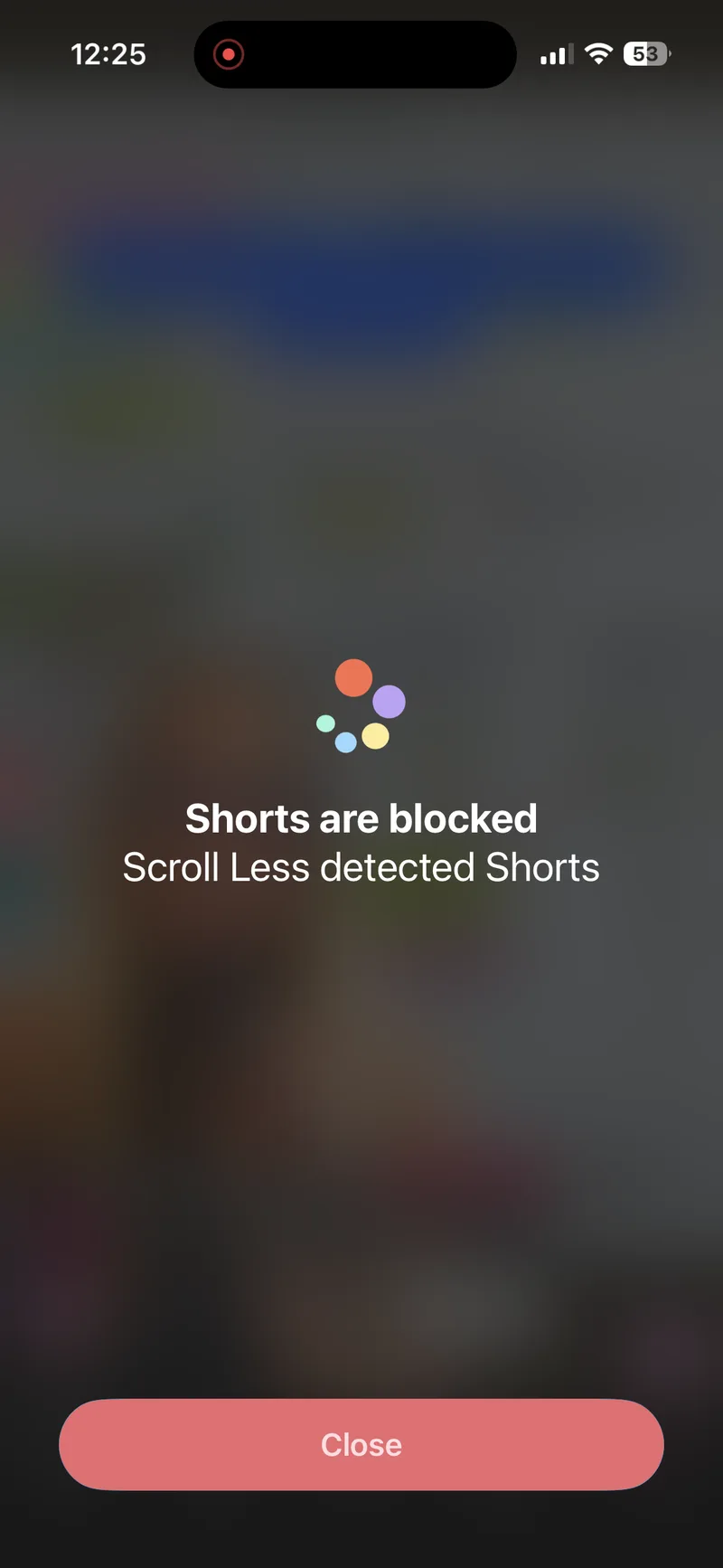
| Open Shorts in YouTube | The whole app was blocked (“Blocked” page) | Blocked (“Shorts are blocked”), rest of the app works |
| Open an Instagram DM | Blocked, because the whole app was blocked | Works |
| Search in Instagram | Blocked, because the whole app was blocked | Works |
| Watch a regular YouTube video | Blocked, because the whole app was blocked | Plays |
| Block only Reels or Shorts? | No option for this | Yes |
| Built-in browser | None | Optional extra |
A few notes from the test:
- one sec’s block covers the whole app. Our countdown read 59:13 minutes left, with Close and Leave Early buttons (Leave Early is there if you really need out).
- With Scroll Less, tapping into Reels or Shorts brought up a “Reels are blocked” or “Shorts are blocked” screen. In the same apps, a DM thread opened with the message box ready, an Instagram search loaded and a regular YouTube video played.
What else you get with Scroll Less
Blocking Reels and Shorts is the main event. A few extras come along:
- Shorts blocked in the Shorts tab, and on Home and in search when tapped.
- Stories, search, posting, your profile and DMs keep working in Instagram.
- YouTube comment blocking and a YouTube mini player.
- Distraction-free views, Reddit support and widgets.
- A built-in browser, if you also want to hide things like Explore and the feed.
Who each app suits
- Scroll Less suits you if you want to keep Instagram and YouTube, minus Reels and Shorts, with DMs and regular videos untouched.
- one sec suits you if you want friction before opening a whole app, or a hard block on it for an hour.
They aren’t either/or. You could keep one sec on a game you can’t stop opening and use Scroll Less on Instagram and YouTube.
For the full lineup, see the best apps to block Reels and Shorts on iPhone and the best app to block YouTube Shorts on iPhone.
How to try Scroll Less
- Download Scroll Less from the App Store.
- Open it and follow the setup steps.
- Choose what to block (Reels, Shorts, or both), then start the Blocker.
- Go back to Instagram and YouTube and use them like normal.
For a walkthrough, see how to block Reels on Instagram on iPhone.
Frequently asked questions
What’s the best one sec alternative for iPhone?
If you want to keep Instagram and YouTube and only lose Reels and Shorts, Scroll Less. It blocks them inside the real apps, and your DMs, search and regular videos keep working.
Can one sec block only Reels or Shorts?
No. In our Nov 2, 2026 test, one sec had no option to block only Reels or Shorts inside the real Instagram or YouTube apps. Its interventions and blocks cover the whole app.
Does one sec have a built-in browser for Instagram or YouTube?
No. We didn’t find one in our Nov 2, 2026 test. You use the regular apps, and one sec steps in before they open.
Do I need to use Instagram in a browser to block Reels with Scroll Less?
No for Reels and Shorts: those are blocked inside the real Instagram and YouTube apps. The built-in browser is an optional extra for hiding things like Explore and the feed.
Can I keep Instagram DMs and still block Reels?
Yes. With Scroll Less, full-screen Reels are blocked in Instagram, and DMs, Stories, search, posting and your profile keep working.
Do I have to delete Instagram or YouTube?
No. You keep both apps and your existing accounts. Scroll Less blocks Reels and Shorts, and the rest stays.
Keep the app, lose the feed
A pause before Instagram is nice. Not finding Reels on the other side is nicer. Scroll Less blocks Reels and Shorts, so opening Instagram to answer a friend is just… answering a friend.