Last updated: November 2, 2026
The best app to block YouTube Shorts on iPhone is Scroll Less. It blocks Shorts inside the real YouTube app, with the account you’re already signed into: in the Shorts tab, and on Home and in search when you tap one. Regular videos, search and your subscriptions keep working.
Of about 1,500 people who set up Scroll Less in October 2026, 53% estimated 4+ hours a day on screen and 13% said 7+ (self-reported during setup).
You’ve probably done this one. You open YouTube to finish a 12-minute video on fixing a leaky faucet. A Short pops up on Home. Then another. Forty minutes later the faucet is still dripping and you know way too much about a guy who restores rusty knives. (Great knives, though.)
Search for a way to block YouTube Shorts and you’ll mostly find Safari extensions. They’re fine, as long as you watch YouTube in Safari. Most people don’t.
Best app to block YouTube Shorts: the short answer
If you watch YouTube in the YouTube app, you want something that blocks Shorts there. Scroll Less does exactly that, and leaves the rest of YouTube alone.
Most of the other options block YouTube Shorts on youtube.com in Safari. Several say right on their App Store listing that they don’t work in the YouTube app. And iPhone Screen Time limits whole apps, so your regular videos go along with the Shorts.
Why most YouTube Shorts blockers only work in Safari
A Safari extension can only change pages you open in Safari. So it can clean up youtube.com, but the YouTube app on your home screen stays exactly the same.
That’s a real trade. You’d have to stop tapping the YouTube icon you’ve been tapping for years and start watching everything in a browser tab instead. That’s a hard habit to change.
Scroll Less skips the trade. You keep opening YouTube the way you always do, and Shorts are blocked.
Apps to block YouTube Shorts on iPhone, compared
| Option | What it does (per its listing) | Works inside the YouTube app? | Best for |
|---|---|---|---|
| Scroll Less | Blocks Shorts in the Shorts tab, and on Home and in search when tapped. Regular videos, search and subscriptions keep working. Also blocks Instagram Reels | Yes, with your existing account | Keeping the real YouTube app, minus Shorts |
| Shorts Blocker for YouTube | Removes Shorts from YouTube in Safari: “no feed, no search results, no recommendations” | No (listing: “not compatible with the YouTube app”) | People who already watch YouTube in Safari |
| No Shorts: Blocker for YouTube | Hides the Shorts feed, previews and suggestions on youtube.com in Safari | No (listing: “not inside the YouTube app”) | A single-purpose Safari fix |
| #blockit | A Safari content blocker that removes Shorts, Reels and endless feeds from popular websites | No (works in Safari, per listing) | Cleaning up several websites in Safari |
| UnTrap for YouTube | A Safari extension with 250+ options for the YouTube website, including hiding Shorts | No (listing describes the YouTube website) | Tweaking every corner of youtube.com |
| Nope | A Safari extension that hides Shorts on youtube.com and Reels on instagram.com | No (Safari) | Safari users who want YouTube and Instagram covered |
| SocialLite | Removes short-form video feeds in “a focused browsing experience for popular social platforms” | Not stated (listing describes its own browsing experience) | Several networks in one browser-style app |
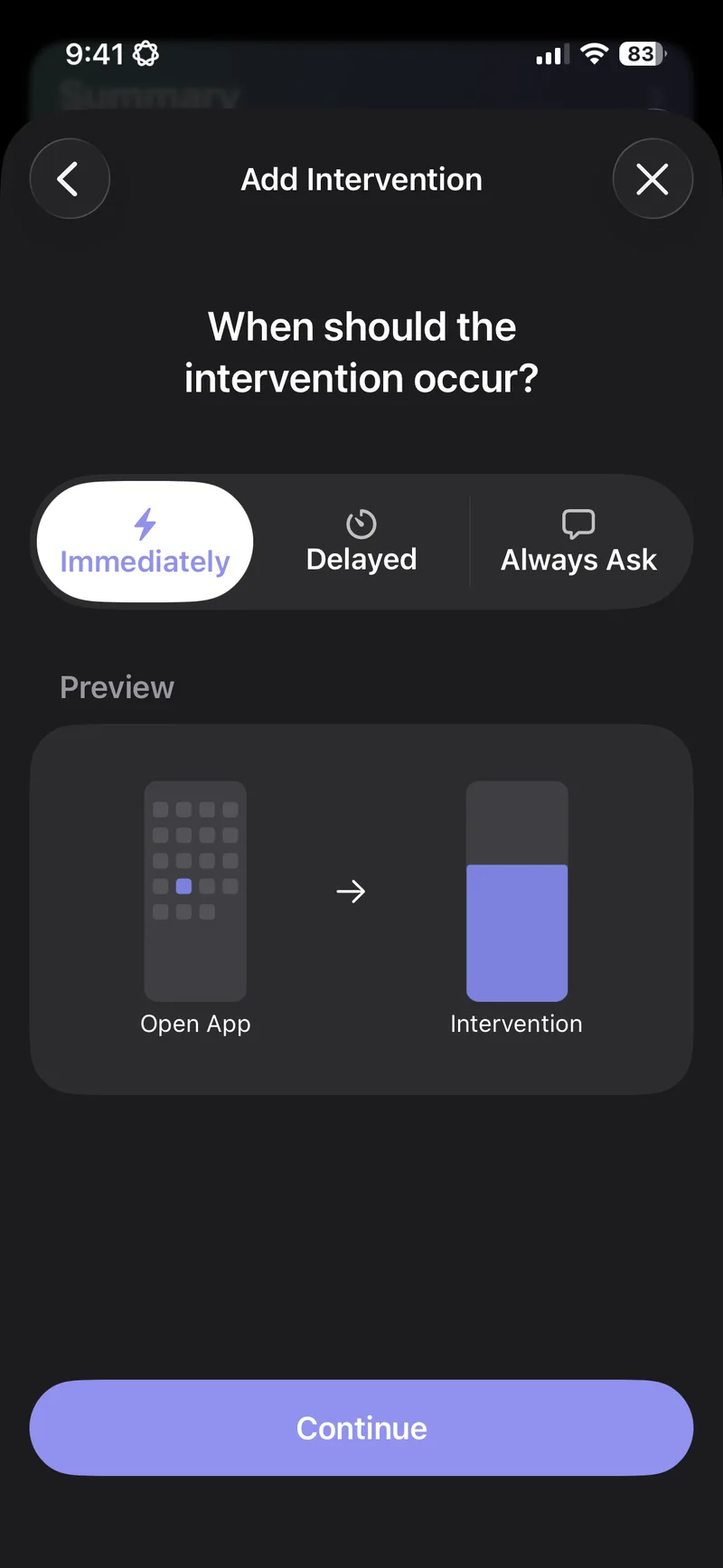
| one sec | An intervention before an app opens, plus timed blocks | No Shorts-only option (our Nov 2, 2026 test); the whole app was blocked | Friction before opening a whole app |
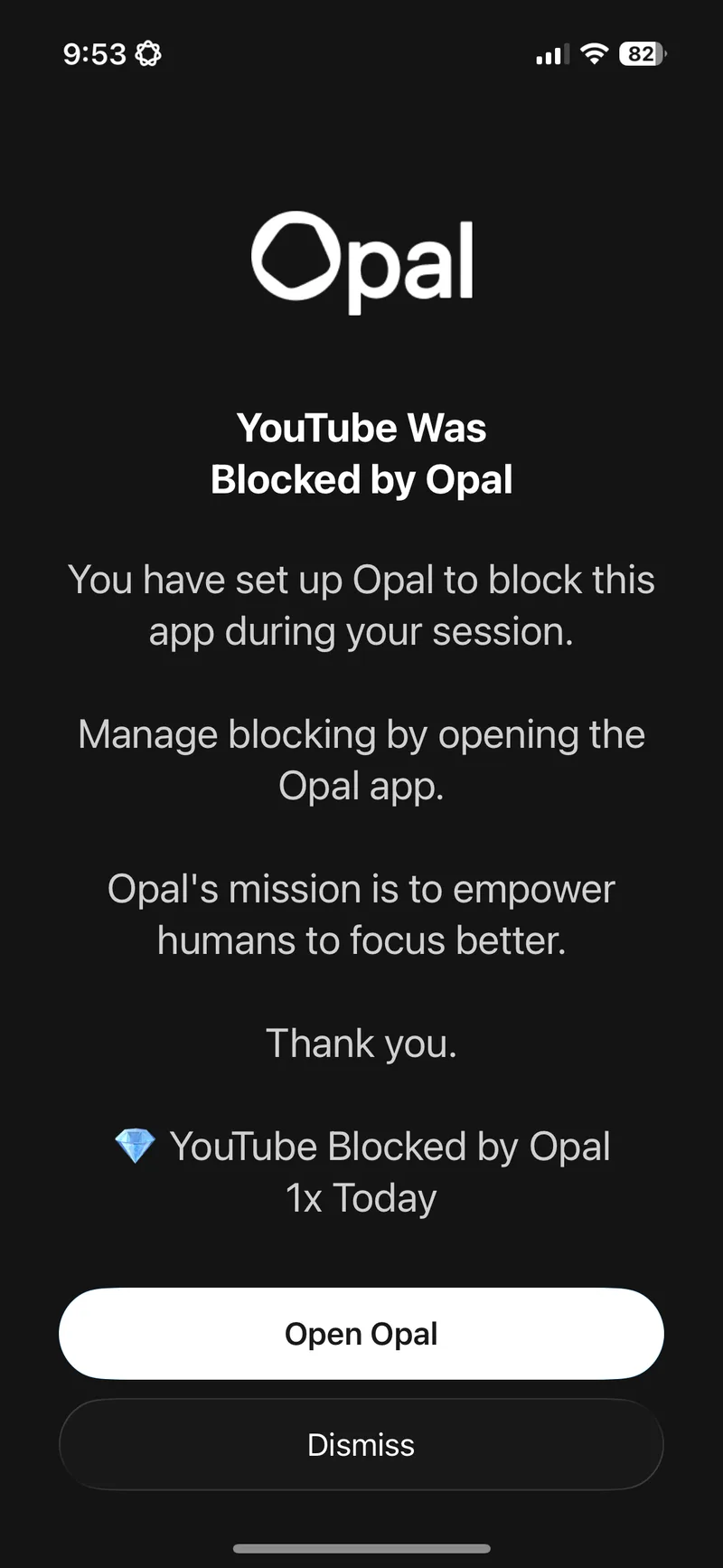
| Opal | Blocks the apps and websites you choose, with sessions, schedules and time limits | No Shorts-only option (our Nov 2, 2026 test); the whole app was blocked | Whole apps gone during focus time |
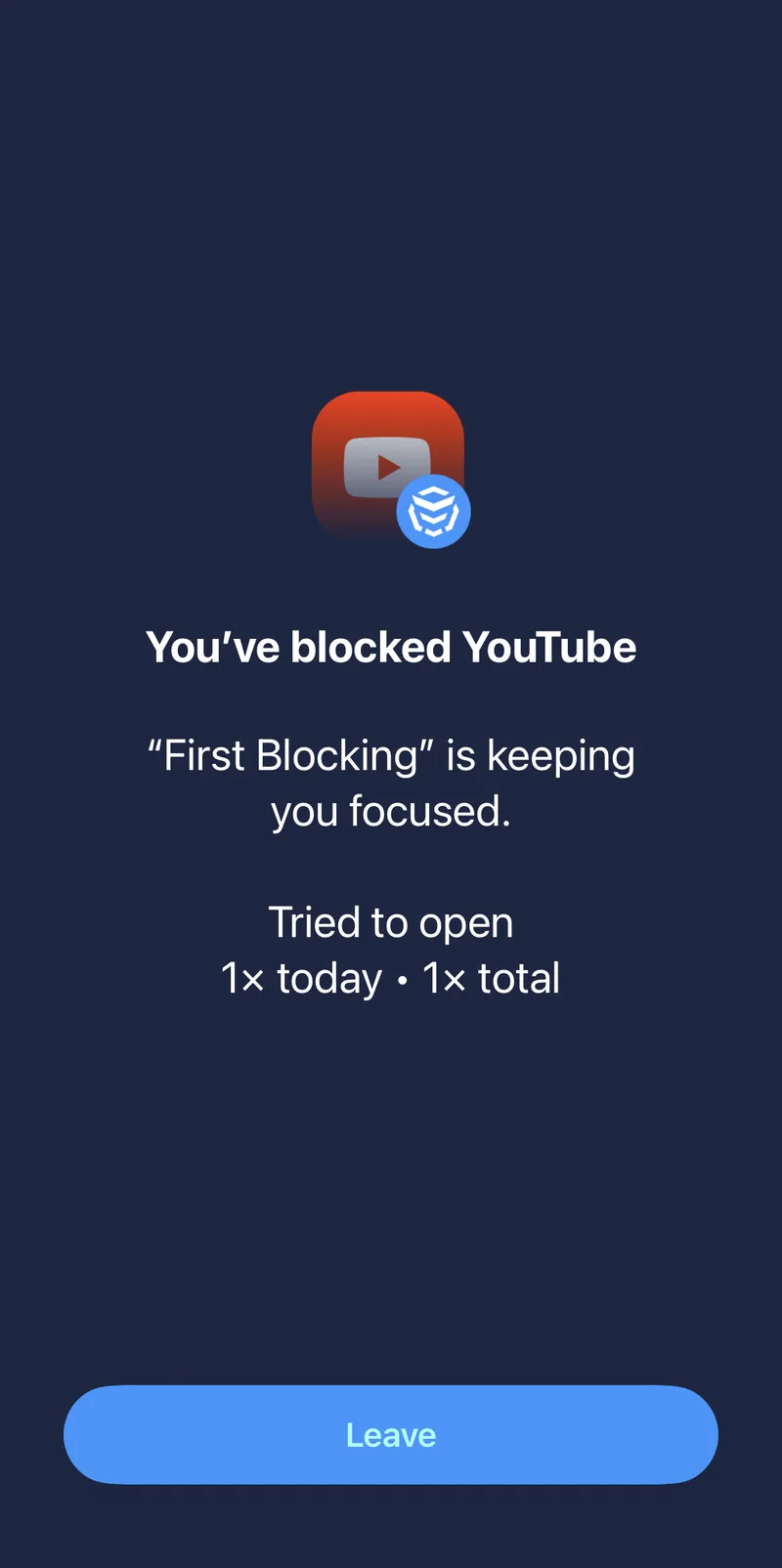
| AppBlock | Blocks whole apps on a schedule you set by time and day | No Shorts-only option (our Nov 2, 2026 test); the whole app was blocked | Whole apps gone on a set schedule |
| iPhone Screen Time | Time allowances for app categories like Entertainment and Social Media, plus a daily total | No Shorts-only option listed; allowances cover whole apps | Simple built-in limits without installing anything |
Whole-app blockers and Shorts: hands-on test
Tested by the Scroll Less team on November 2, 2026.
Screen time apps like one sec, Opal and AppBlock come up a lot when people ask how to stop watching Shorts. They aren’t Safari extensions. They work on the whole YouTube app. We tested one sec and Opal on an iPhone with iOS 26.6.2 (one sec 6.1.1 and Opal 4.22, App Store version), tested AppBlock 4.14.0 (App Store version) on an iPhone the same day, and compared them with our Oct 31, 2026 Scroll Less run.
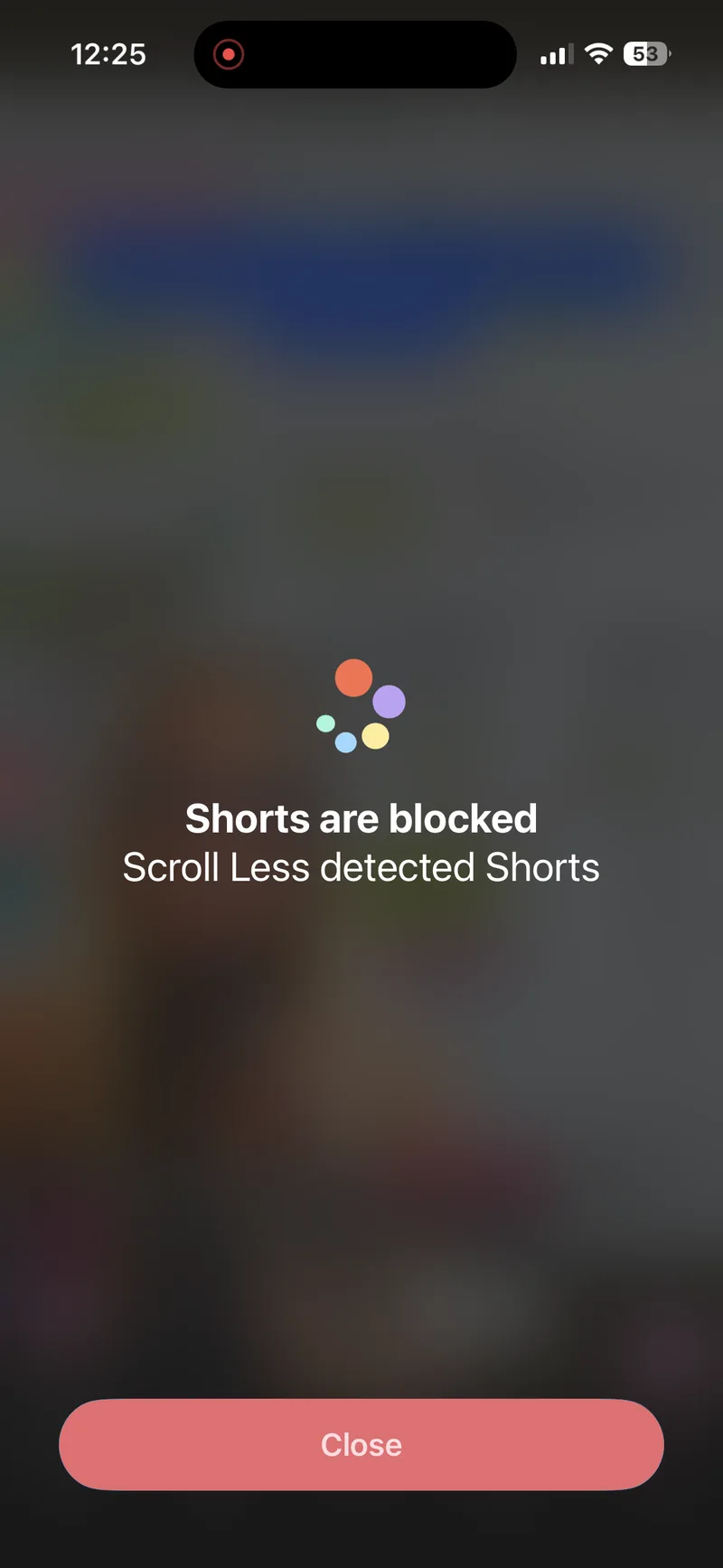
The short version: none of them had a Shorts-only option. With Opal’s rule on, the whole YouTube app was blocked, regular videos included. one sec’s manual block and AppBlock’s schedule on Instagram and YouTube did the same. Scroll Less blocked Shorts, and regular videos kept playing.
| In the YouTube app | one sec | Opal | AppBlock | Scroll Less |
|---|---|---|---|---|
| Shorts | No Shorts-only option; the whole app was blocked | The whole app was blocked (“YouTube Was Blocked by Opal”) | The whole app was blocked (“You’ve blocked YouTube”) | Blocked (“Shorts are blocked”) |
| Regular videos | Blocked, because the whole app was blocked | Blocked, because the whole app was blocked | Blocked, because the whole app was blocked | Play |
| Built-in browser | None found | None found | None found | Optional extra |
The options, one by one
Scroll Less
Scroll Less blocks YouTube Shorts inside the official YouTube app. No lookalike app and no new login.
- Shorts are blocked in the Shorts tab, and on Home and in search when you tap one.
- Regular videos, search and your subscriptions keep working.
- It blocks Instagram Reels too, if those are also a problem.
It also comes with a few extras:
- YouTube comment blocking and a YouTube mini player.
- Optional distraction-free views for YouTube, Instagram and Reddit.
- App blocking sessions for when you want a total break.
- Home and lock screen widgets.
Best for: anyone who wants to keep the real YouTube app, minus the Shorts.
Shorts Blocker for YouTube
Removes Shorts from YouTube in Safari, including the feed, search results and recommendations. Its listing is upfront that it isn’t compatible with the YouTube app.
Best for: people who already watch YouTube in Safari.
No Shorts: Blocker for YouTube
Hides the Shorts feed, previews and suggestions on youtube.com in Safari. Its listing says the YouTube app is unchanged.
Best for: a simple, single-purpose Safari fix.
#blockit
A Safari content blocker that removes Shorts, Reels and endless feeds from several popular websites, with switches per site.
Best for: people who want to clean up several websites in Safari.
UnTrap for YouTube
A Safari extension for the YouTube website with a long list of options: hiding Shorts, comments and suggested videos, and much more.
Best for: people who like tweaking every corner of youtube.com.
Nope
A Safari extension for youtube.com and instagram.com that hides Shorts and Reels. It works in Safari, not in the apps.
Best for: Safari users who want YouTube and Instagram covered.
SocialLite
Removes short-form video feeds and recommendations from popular social platforms. Its listing describes “a focused browsing experience.”
Best for: people who want several networks in one browser-style app.
iPhone Screen Time
Sets time allowances for app categories like Entertainment and Social Media, plus a daily total. Apple doesn’t list a way to pick out Shorts, so a limit that reaches YouTube covers your regular videos too.
Best for: basic daily limits without installing anything.
How to block YouTube Shorts on iPhone with Scroll Less
- Download Scroll Less from the App Store.
- Open it and follow the setup steps.
- Turn on Shorts blocking for YouTube, then start the Blocker.
- Open YouTube and use it like normal.
For a deeper walkthrough, see how to block YouTube Shorts on iPhone. If Instagram Reels are part of the problem too, the best apps to block Reels and Shorts on iPhone covers both.
Frequently asked questions
What’s the best app to block YouTube Shorts on iPhone?
Scroll Less, if you want to keep the YouTube app. It blocks Shorts inside the real YouTube app, with your existing account, and regular videos, search and subscriptions keep working.
Do Safari Shorts blockers work in the YouTube app?
No. Shorts Blocker for YouTube and No Shorts both say on their App Store listings that they work in Safari, not in the YouTube app.
Can I still watch regular YouTube videos if Shorts are blocked?
Yes. With Scroll Less, regular videos, search and your subscriptions keep working. Only Shorts are blocked.
Can iPhone Screen Time block only YouTube Shorts?
Not on its own. Apple describes time allowances for app categories and a daily total, with no Shorts-only option, so a limit that reaches YouTube covers your regular videos too.
Can one sec, Opal or AppBlock block only YouTube Shorts?
No. In our Nov 2, 2026 test, none of them had a Shorts-only option. With each app’s block on, the whole YouTube app was blocked, so regular videos went too.
Do I need a new YouTube app or account?
No. Scroll Less works with the real YouTube app and the account you’re already signed into.
Does Scroll Less block Instagram Reels too?
Yes. It blocks Instagram Reels as well as YouTube Shorts, so one app covers both.
Keep YouTube. Lose the Shorts.
You don’t have to switch to Safari or give up the app to stop the Shorts spiral. Scroll Less blocks Shorts in the YouTube app you already use and leaves the rest alone.