Tested by the Scroll Less team on November 2, 2026. Updated: November 25, 2026.
Key finding: In our November 2, 2026 hands-on test on an iPhone (Opal 4.22, one sec 6.1.1, iOS 26.6.2), both Opal and one sec blocked the whole Instagram and YouTube apps once we set up a block, and neither had a Reels-only or Shorts-only option.
You’ve probably done this. You decide you want less Reels in your life, so you open the App Store, search “Opal vs one sec” and spend 40 minutes comparing two apps that help you spend less time on your phone. (It’s a loop. Everyone does the loop once. You’re doing great.)
So here’s the short version of that 40 minutes. Opal and one sec are both good at what they’re built for. They’re also built for the same kind of job: whole apps. If what you actually want gone is Reels and Shorts, but not your DMs, that’s a different job, and we’ll get to it.
Opal vs one sec: the short answer
-
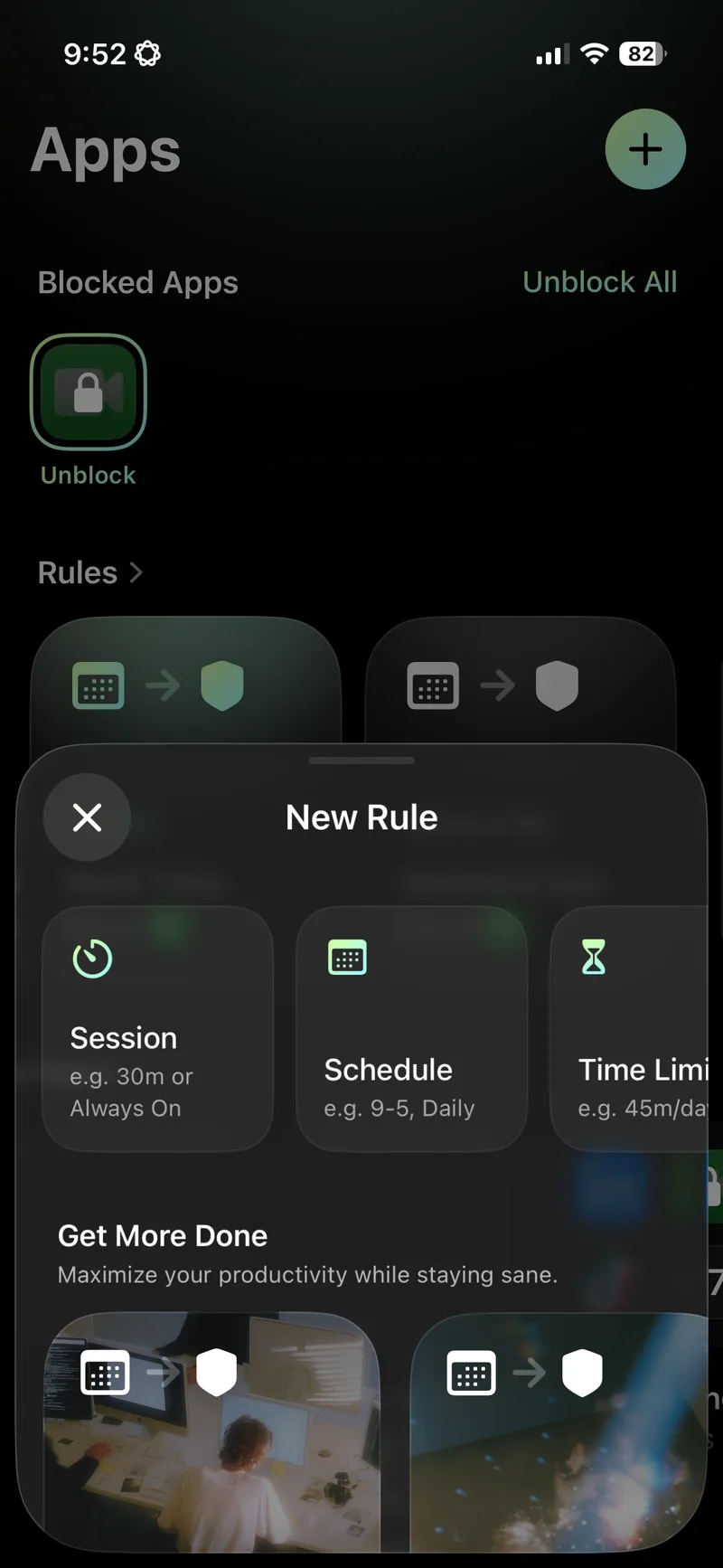
Opal blocks the apps you pick during a blocking session. Best for scheduled focus sessions.
-
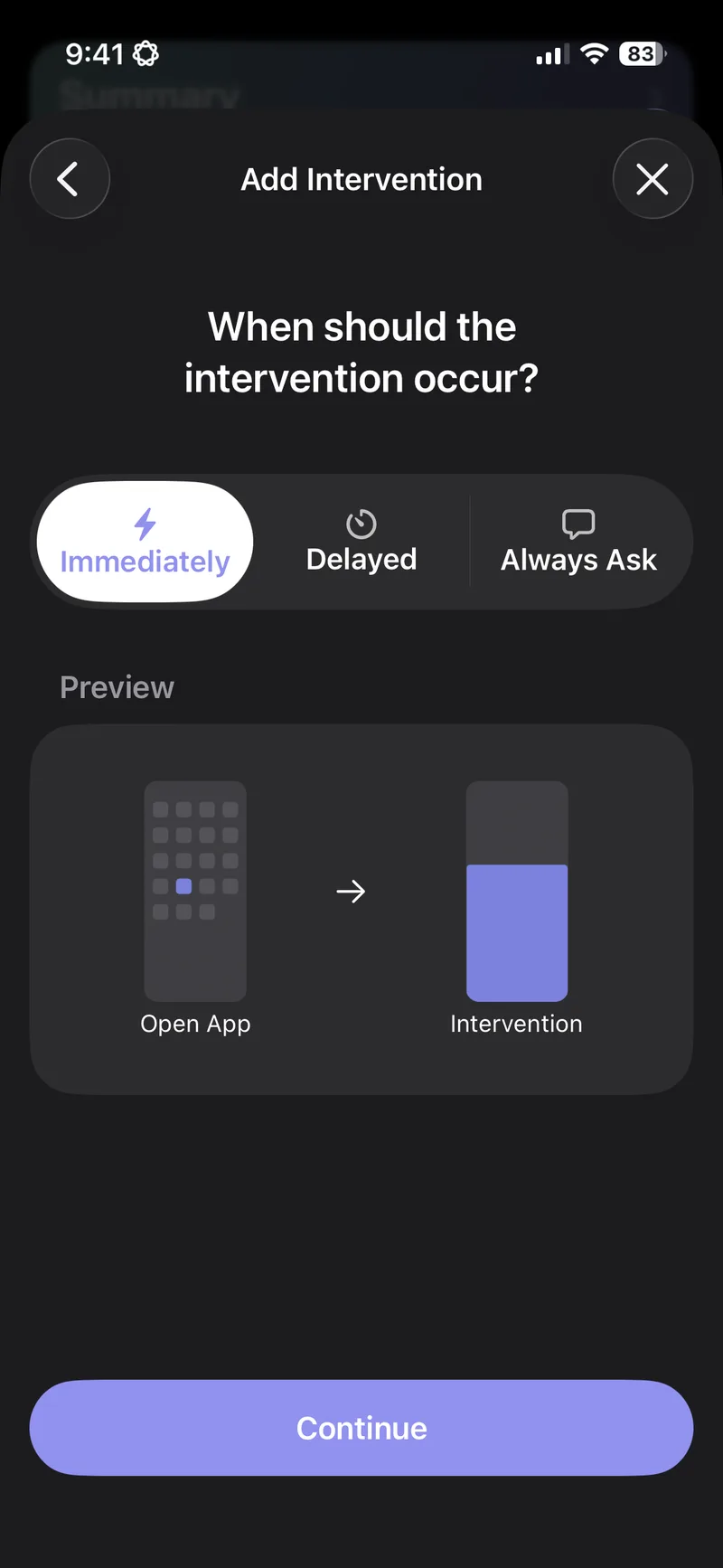
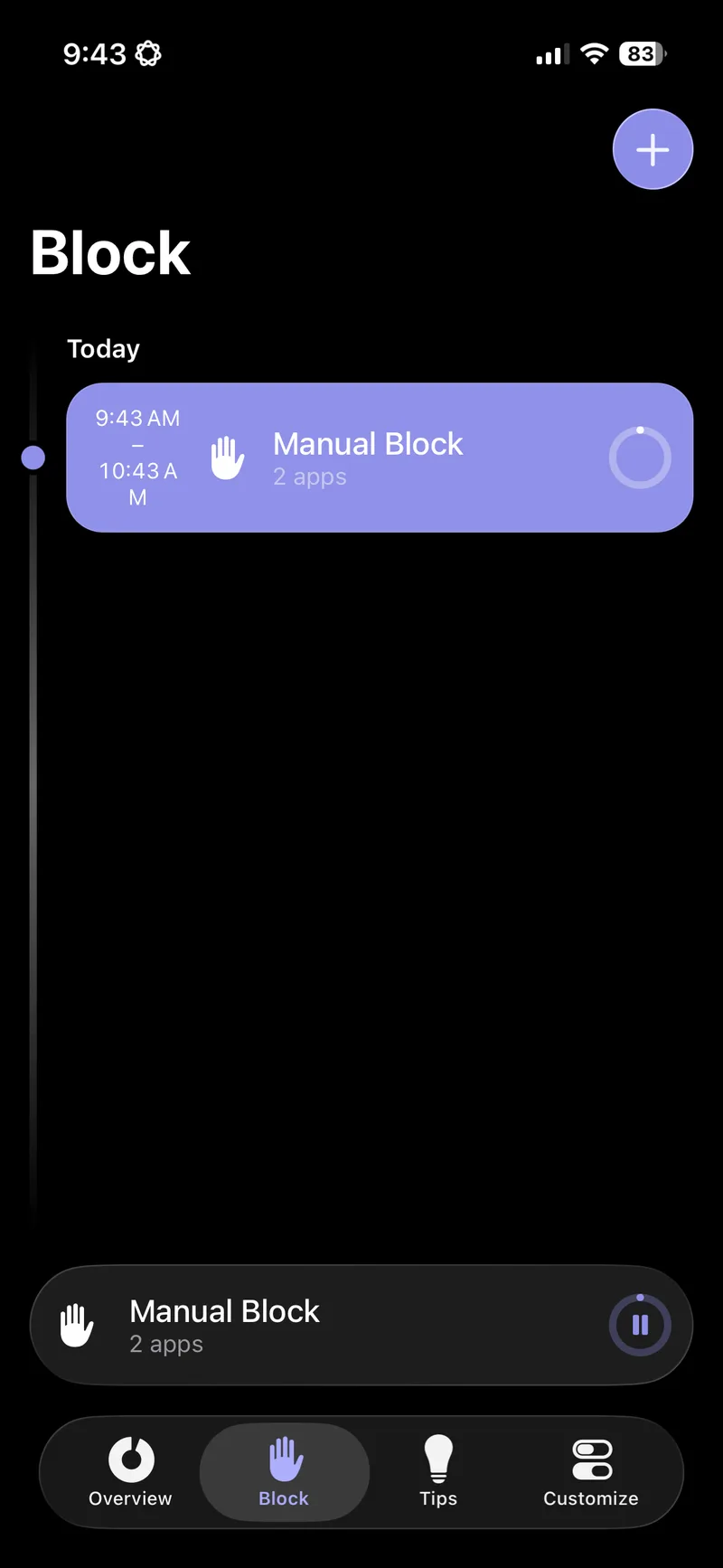
one sec is built around stepping in when you open an app (Immediately, Delayed or Always Ask), plus timed blocks (25 minutes, 1 hour or no limit). Best for breaking the open-it-on-autopilot habit.
-
Both worked on the whole app in our test. Neither had a way to block only Reels or Shorts, and neither has a built-in browser for Instagram or YouTube that we could find.
-
If you want Instagram and YouTube without Reels and Shorts, that’s Scroll Less.
How we tested Opal vs one sec
-
Device: iPhone on iOS 26.6.2.
-
Opal: version 4.22 (App Store version), tested November 2, 2026.
-
one sec: version 6.1.1, tested November 2, 2026.
-
Scroll Less: control run on October 31, 2026, on the same iOS version.
-
Setup: the most targeted setup each app allowed. In Opal we set up a blocking session that blocked Instagram and YouTube. In one sec we looked for a way to target only Reels or Shorts and didn’t find one, so we started a one-hour manual block on Instagram and YouTube.
-
Steps: with the Opal blocking session or the one sec block on, open Instagram and open YouTube. Then run five checks with Scroll Less: open Reels, open Shorts, open an Instagram DM, search Instagram and watch a regular YouTube video.
Opal vs one sec vs Scroll Less: results
| Action | Opal (blocking session on) | one sec (manual block) | Scroll Less |
|---|---|---|---|
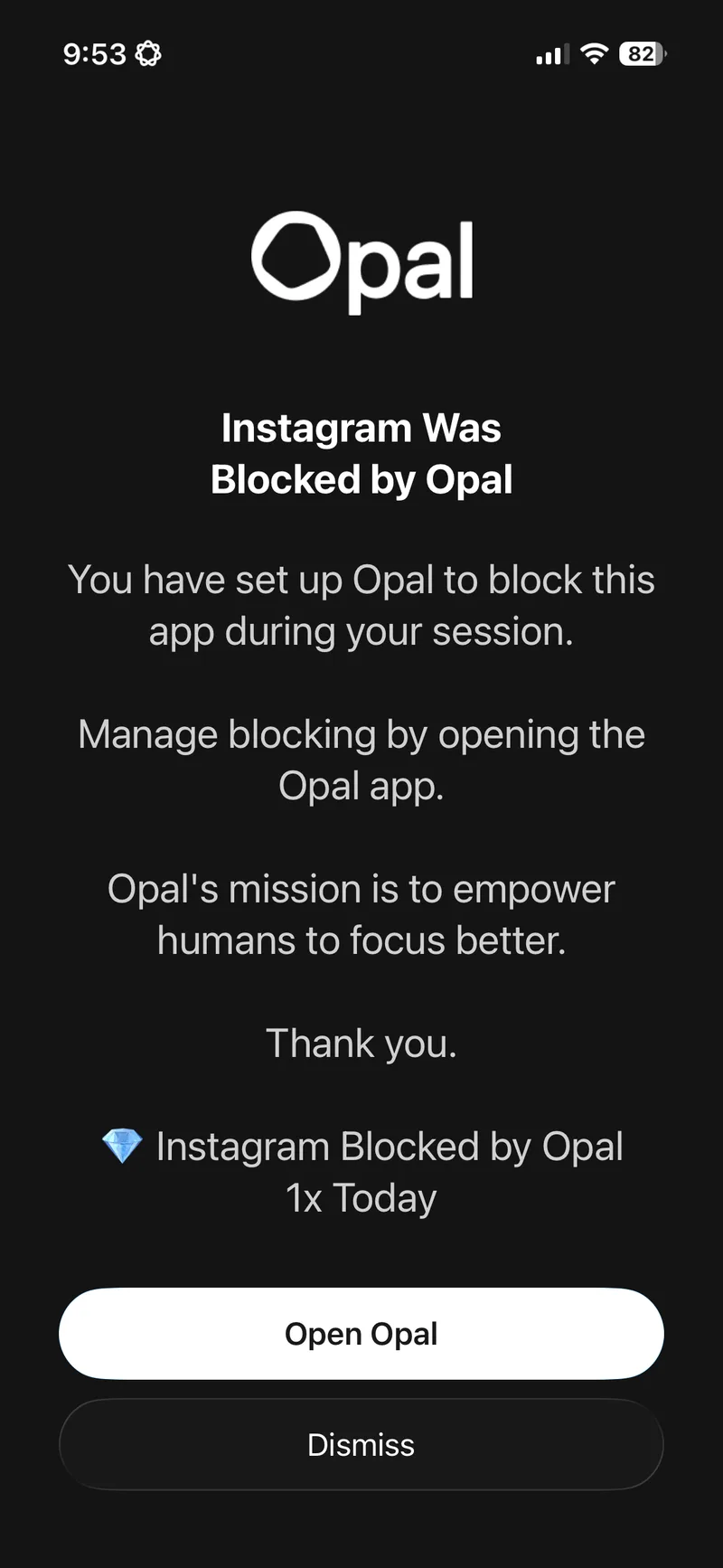
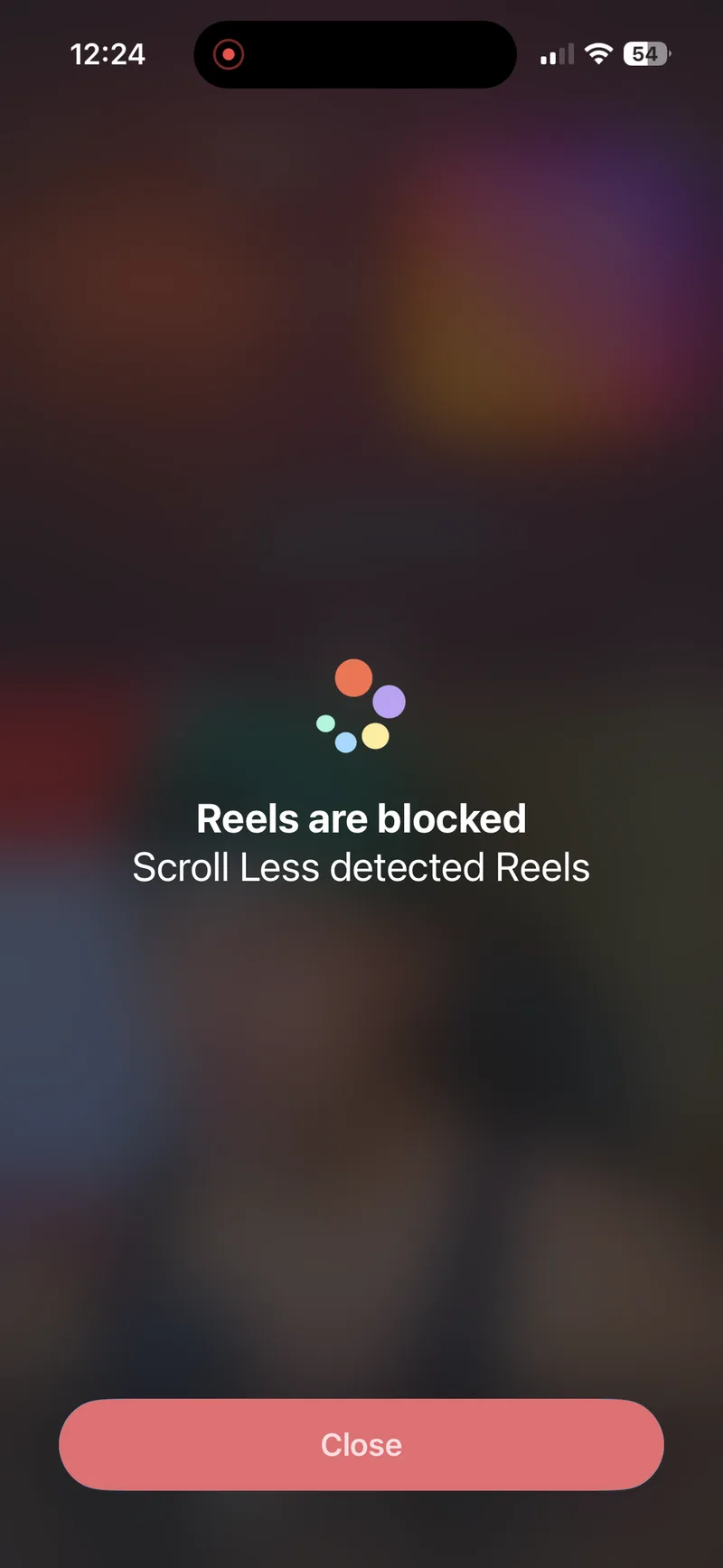
| Open Reels in Instagram | Whole app blocked (“Instagram Was Blocked by Opal”) | Whole app blocked (“Blocked” page) | Blocked (“Reels are blocked”), rest of the app works |
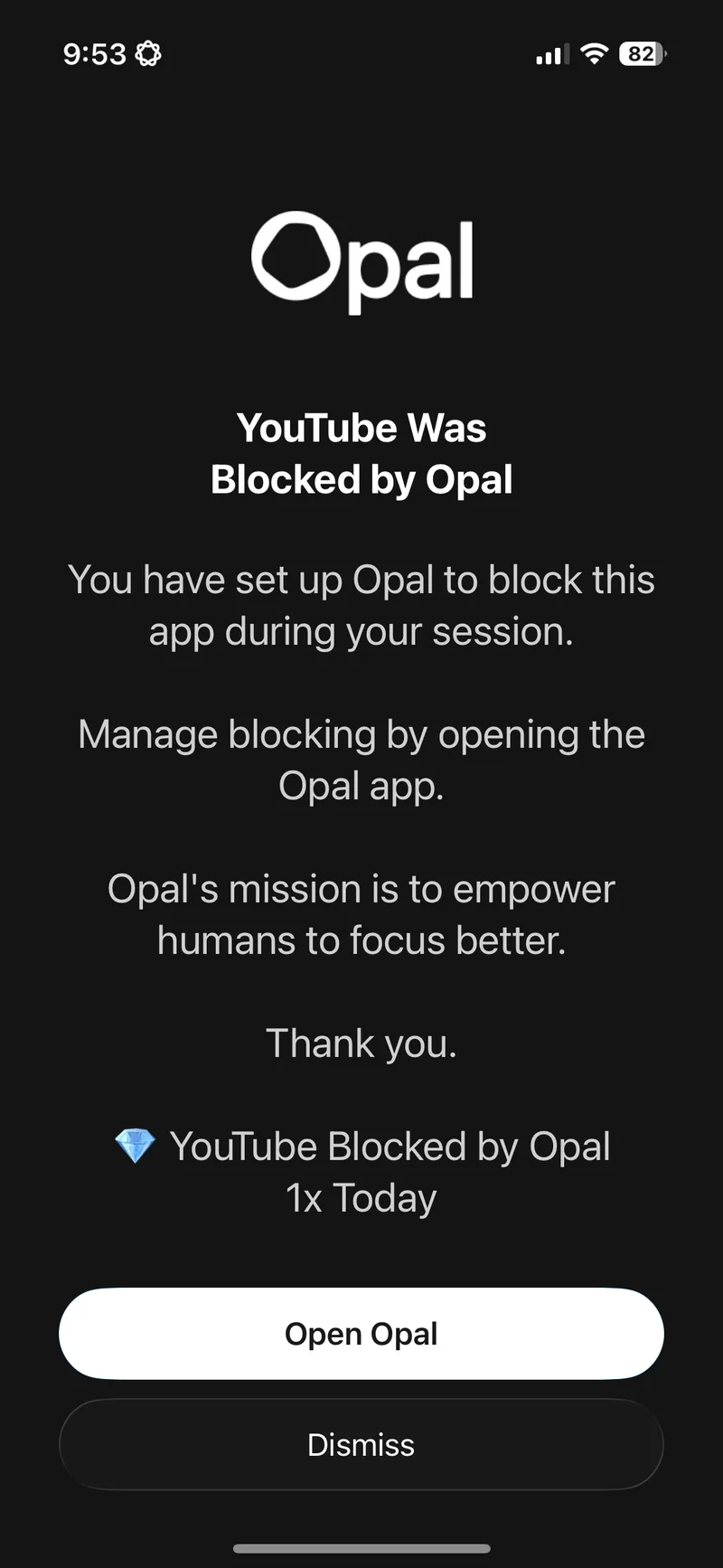
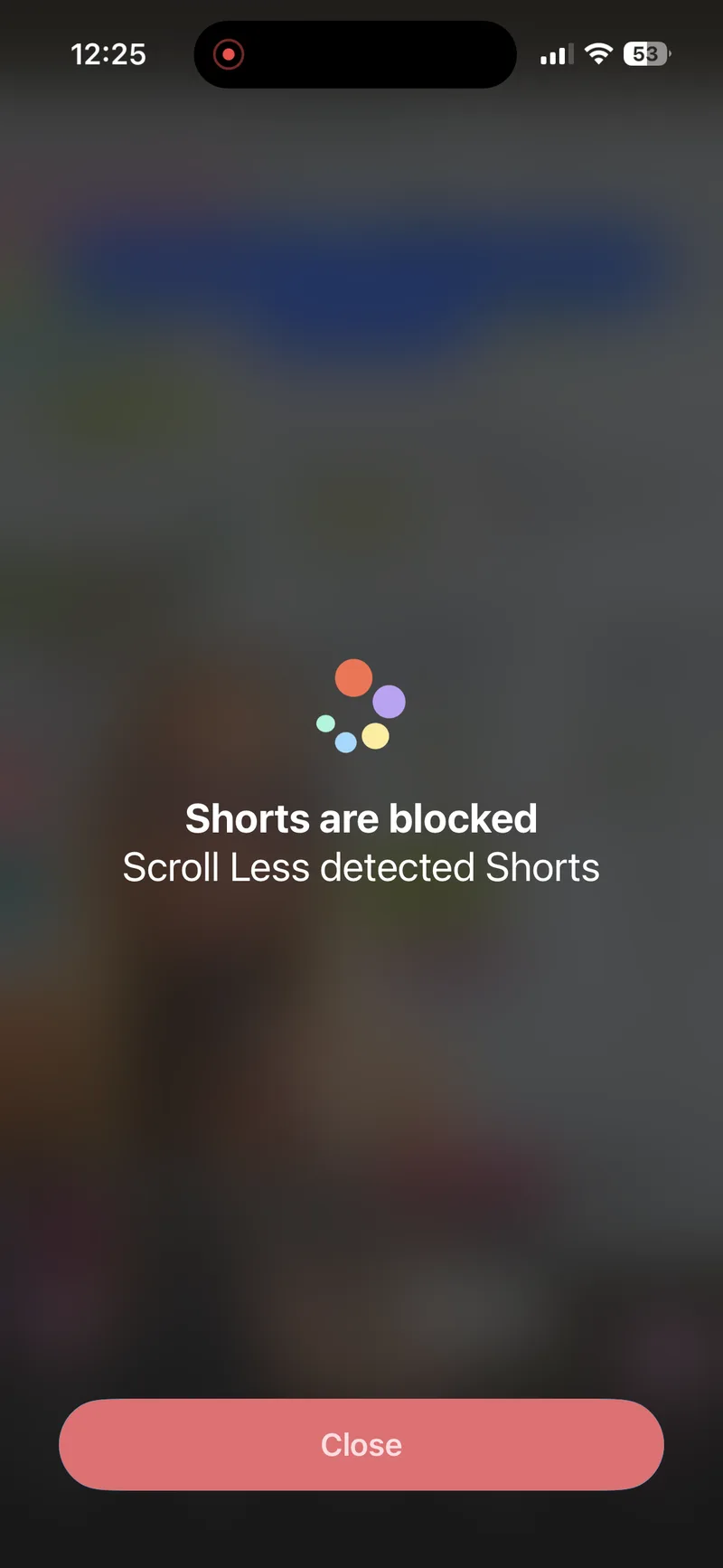
| Open Shorts in YouTube | Whole app blocked (“YouTube Was Blocked by Opal”) | Whole app blocked (“Blocked” page) | Blocked (“Shorts are blocked”), rest of the app works |
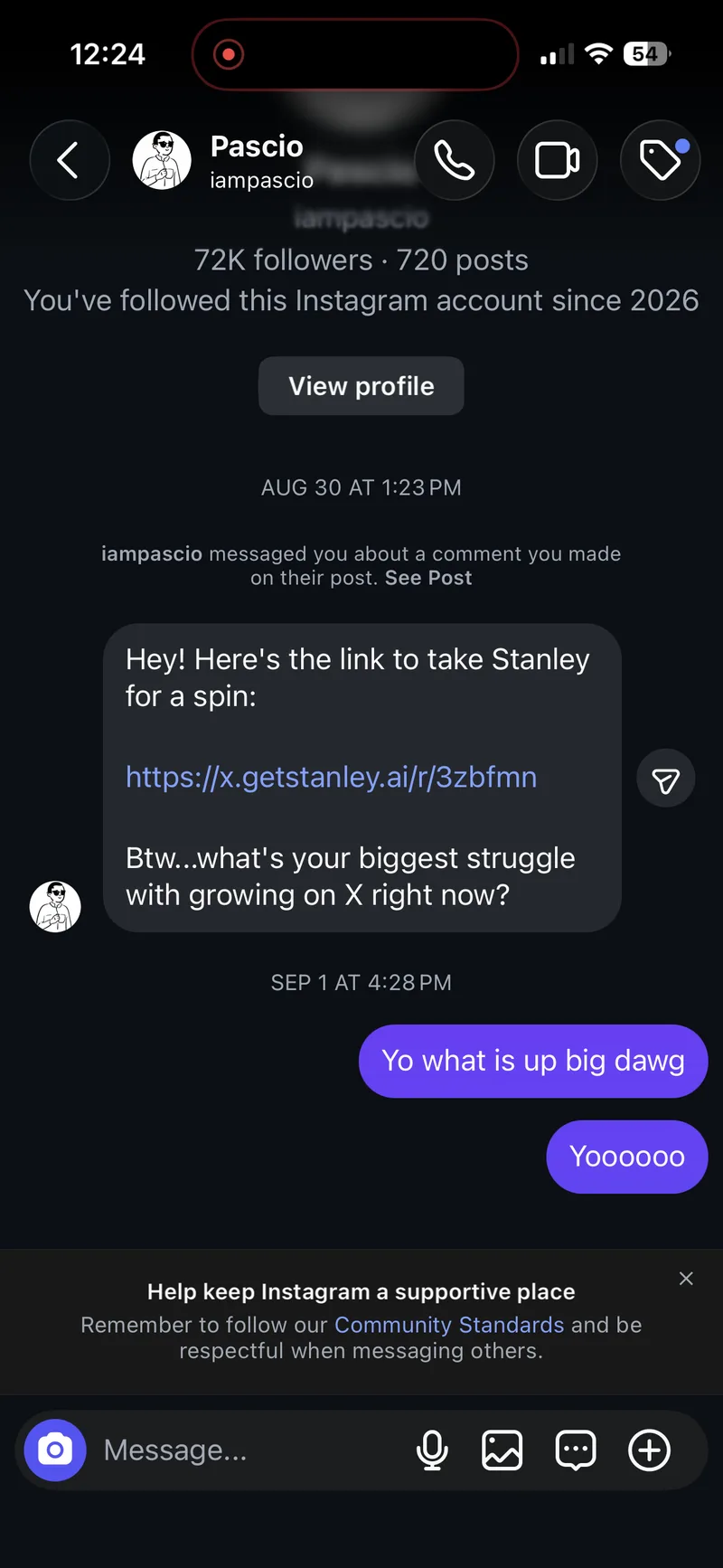
| Open an Instagram DM | Blocked, because the whole app was blocked | Blocked, because the whole app was blocked | Works |
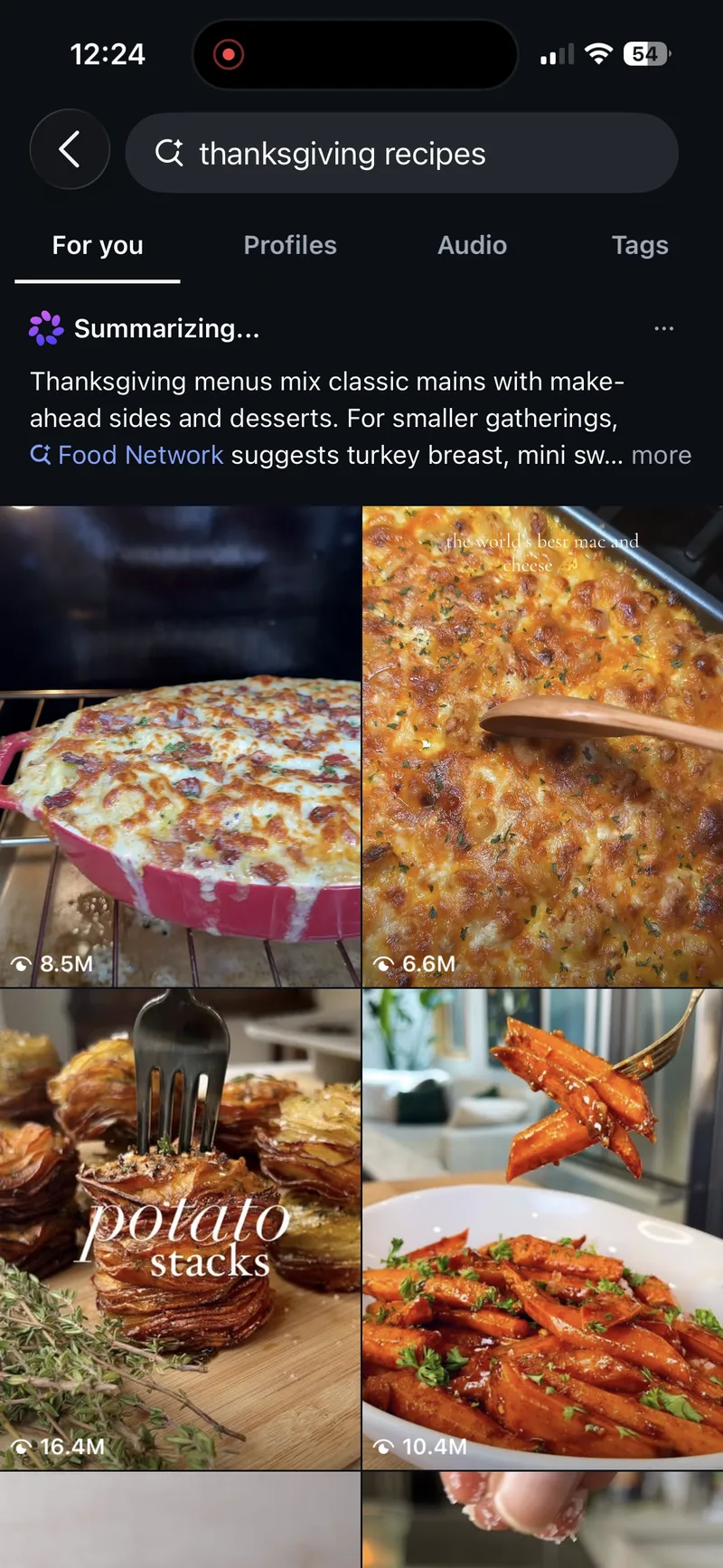
| Search Instagram | Blocked, because the whole app was blocked | Blocked, because the whole app was blocked | Works |
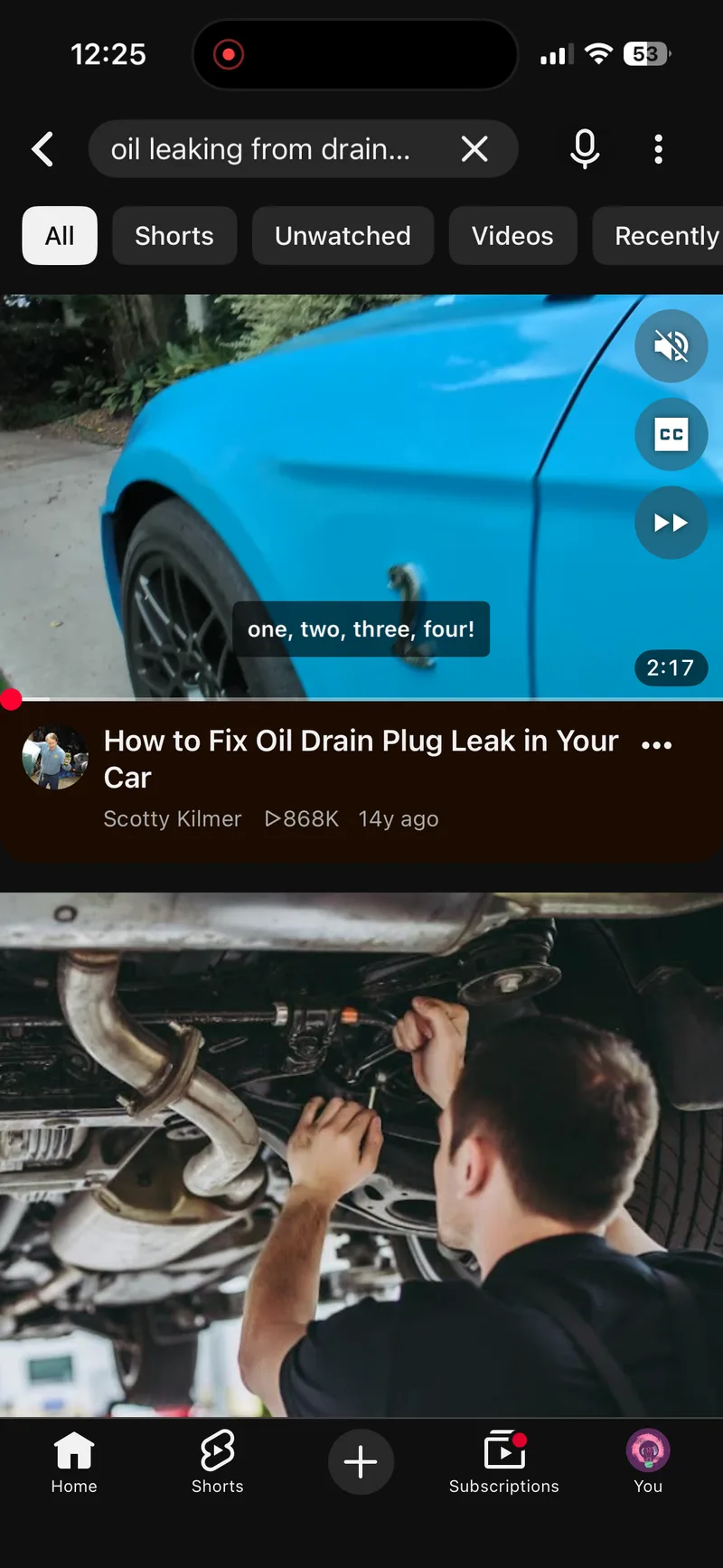
| Watch a regular YouTube video | Blocked, because the whole app was blocked | Blocked, because the whole app was blocked | Plays |
| Reels-only or Shorts-only option | None found | None found | Yes |
| Built-in browser | None found | None found | Optional extra |
| Block types we saw | Blocking session (whole apps) | Interventions (Immediately, Delayed, Always Ask) and timed blocks (25 minutes, 1 hour, no limit) | Reels, Shorts or both |
| Buttons on the block screen | Open Opal, Dismiss | Close, Leave Early | Close |
What we noticed:
-
Opal: opening Instagram or YouTube showed “Instagram Was Blocked by Opal” (or YouTube) and “You have set up Opal to block this app during your session.” The buttons were Open Opal and Dismiss.
-
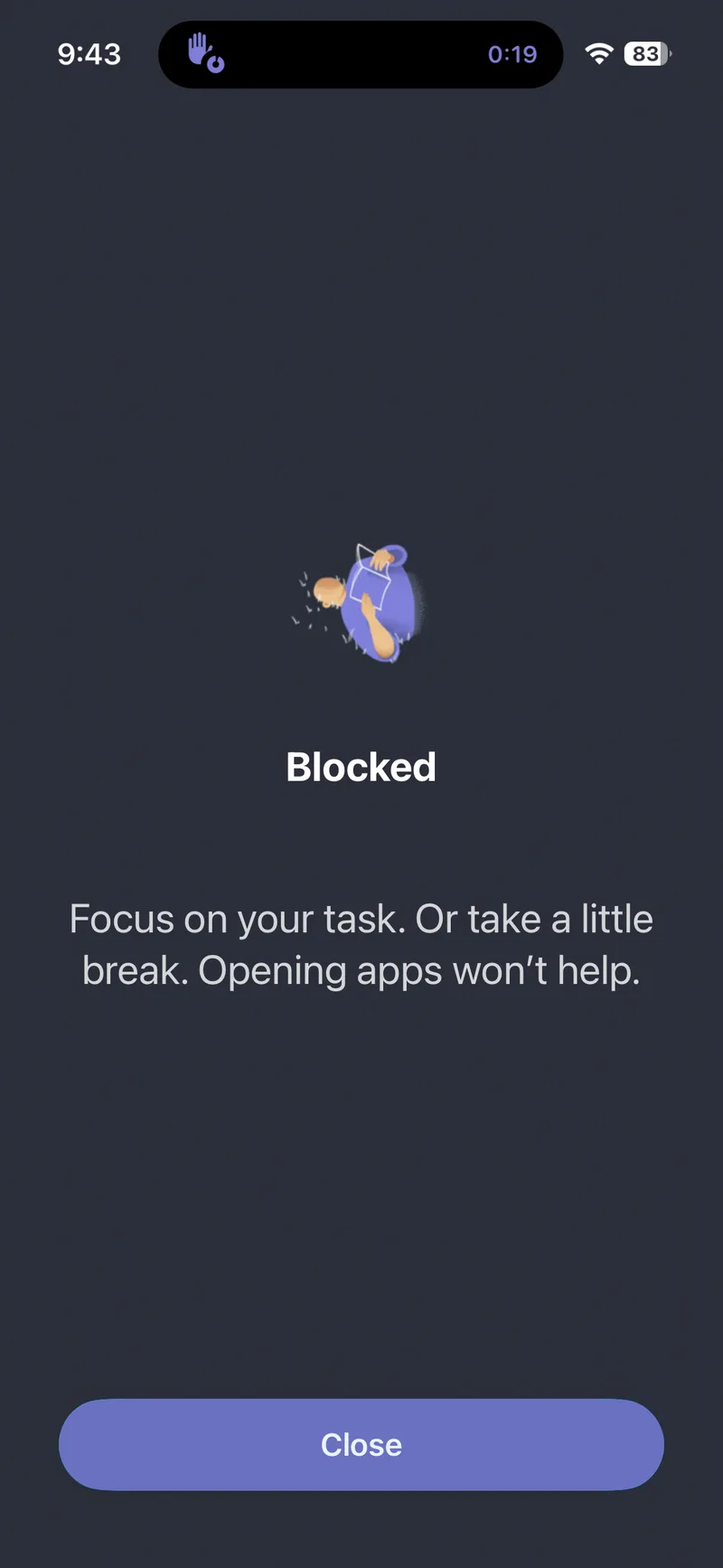
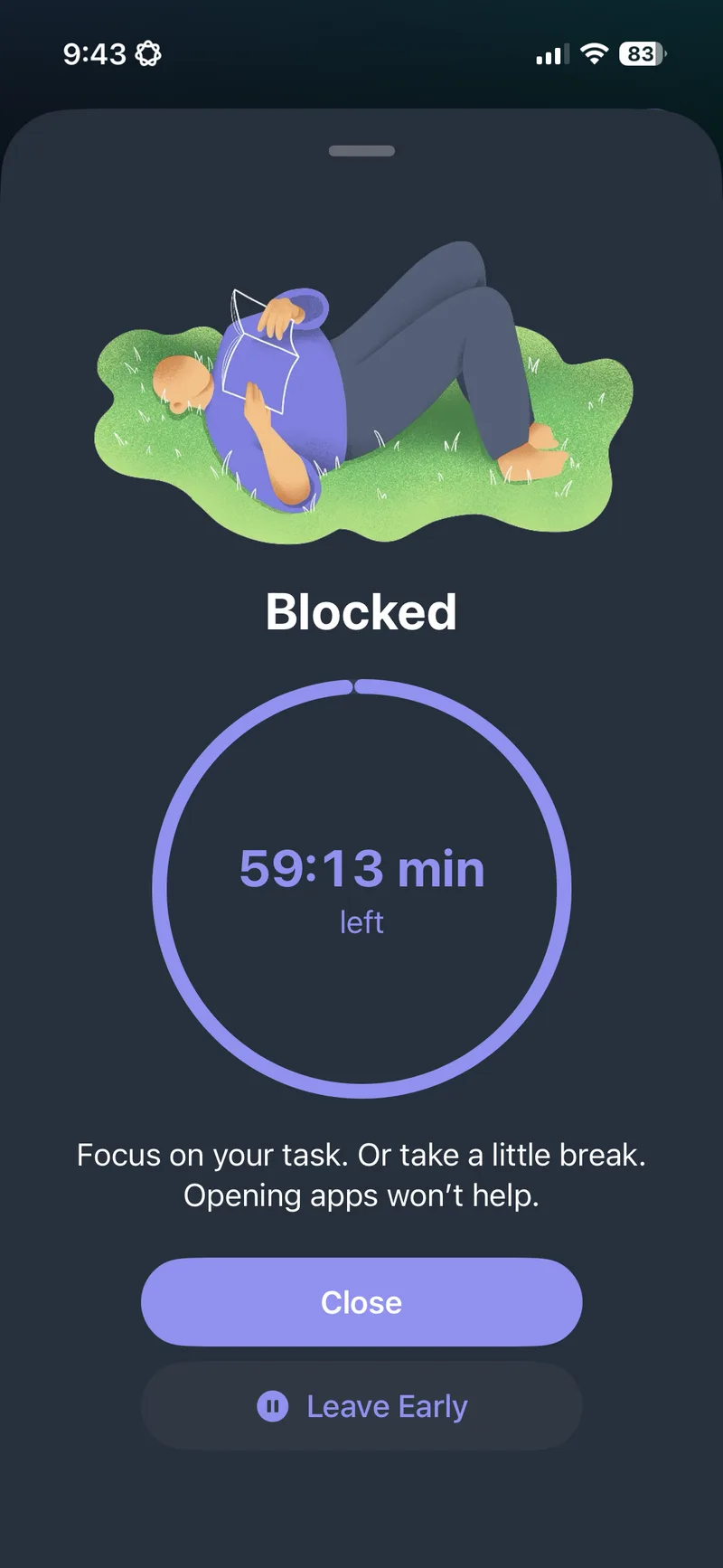
one sec: opening a blocked app showed a full-screen “Blocked” page: “Focus on your task. Or take a little break. Opening apps won’t help.” (Fair point, honestly.) Our countdown read 59:13 minutes left, with Close and Leave Early buttons.
-
Scroll Less: tapping into Reels or Shorts brought up a “Reels are blocked” or “Shorts are blocked” screen. In the same apps, a DM thread opened with the message box ready, an Instagram search loaded and a regular YouTube video played.
Screenshots from the test
So what’s actually different between Opal and one sec?
Same shape, different personality.
Opal works like a schedule. You start a blocking session, pick the apps, and when the session is on, those apps are blocked. You’ve probably set one up for a focus hour, then a friend texted “check your DMs” (it was a meme, it’s always a meme) and now you’re looking at a block screen with the message sitting right behind it.
one sec works like a speed bump. It steps in when you open an app, and it can also run a timed block when you want a harder stop. You’ve probably felt the pause, felt a little proud, and then opened Instagram anyway because someone sent you something good.
Both are honest about what they do. They work on the app. They can’t tell the meme from the Reels, because both live in the same app. Our deeper tests of each are here: Opal alternative for iPhone and one sec alternative for iPhone. Weighing Opal against ScreenZen instead? Here’s Opal vs ScreenZen.
Where Scroll Less fits
Scroll Less is the third column in the table, and it’s a different kind of tool. It works on the feed inside the app, not the app itself.
-
It blocks Reels and Shorts inside the real Instagram and YouTube apps while the Blocker, a screen broadcast, is running. When you tap into Reels or Shorts, a block screen appears. The Reels and Shorts tabs stay visible while blocking is on.
-
Stories, search, posting, your profile and DMs keep working in Instagram. Regular YouTube videos, search and your subscriptions keep working too.
-
Detection runs entirely on your iPhone. Nothing on your screen is sent anywhere.
-
Hide mode in Scroll Less’s built-in browser works without the Blocker. Open Instagram, YouTube or Reddit there and you can hide more of the feed: Explore, the feed and suggested posts on Instagram; Home, Related videos and Subscriptions on YouTube; the Home and Popular feeds on Reddit.
-
A Reel a friend sends you stays blocked in the Instagram app, but you can open it in the built-in browser.
Want the full lineup? See our roundup of the best apps to block Reels and Shorts on iPhone, or how to block Instagram Reels but keep your DMs.
Quick way to choose
-
You want Instagram and YouTube, minus Reels and Shorts, with DMs untouched: Scroll Less.
-
Opal blocks whole apps during a blocking session. one sec steps in when you open an app, or runs a timed block. Both are built for the whole app, not just Reels and Shorts.
How to try Scroll Less
-
Download Scroll Less from the App Store.
-
Open it and follow the setup steps.
-
Choose what to block (Reels, Shorts, or both), then start the Blocker.
-
Go back to Instagram and YouTube and use them like normal.
Frequently asked questions
Is Opal or one sec better?
It depends on the job. In our November 2, 2026 test, Opal blocked whole apps during a blocking session, and one sec stepped in when you open an app and could also run a timed block. Both worked on the whole app. If you only want Reels and Shorts gone, neither had a Reels-only option, and Scroll Less does that.
What’s the difference between Opal and one sec?
In our test, Opal is built around blocking sessions that block the apps you pick. one sec is built around an intervention when you open an app (Immediately, Delayed or Always Ask) plus timed blocks.
Can Opal or one sec block only Reels or Shorts?
No. In our November 2, 2026 test (Opal 4.22, one sec 6.1.1), neither had a Reels-only or Shorts-only option. With a block on, the whole Instagram and YouTube apps were blocked.
Do Opal or one sec have a built-in browser for Instagram or YouTube?
We didn’t find one in either app in our November 2, 2026 test. Scroll Less has an optional built-in browser.
Is there a better app than Opal?
That depends on what you want gone. For whole apps during focus time, Opal is built for that. If you want to keep Instagram and YouTube and only lose Reels and Shorts, that’s Scroll Less.
Is there an app that blocks Reels and Shorts but keeps DMs working?
Yes. Scroll Less blocks Reels and Shorts inside the real Instagram and YouTube apps while the Blocker is running. Stories, search, posting, your profile and DMs keep working.
Do I have to delete Instagram or YouTube?
No. You keep both apps and your existing accounts. Scroll Less blocks Reels and Shorts, and the rest stays.
Keep the app, lose the feed
A block on the whole app is great when you want the whole app gone. When you just want Reels gone, it’s a sledgehammer for a thumbtack. Get Scroll Less on the App Store.
And then close this tab. You’ve done enough comparing for one day.