Last updated: November 2, 2026
In our Nov 2, 2026 hands-on test, AppBlock had no way to block only Reels or Shorts inside the real Instagram or YouTube apps. With its schedule on, the whole app was blocked. Scroll Less blocks Reels and Shorts inside the real apps, and DMs, search and regular videos keep working.
So if you want an AppBlock alternative that keeps Instagram and YouTube and just loses the feeds, that’s Scroll Less.
You’ve probably been here. You set up an AppBlock schedule for the morning. It works. Instagram is locked. Then a friend texts “check your DMs,” and you have two choices: wait until noon, or turn the block off. You turn it off. The Reels are right where you left them. (The DM was a meme. The Reels took 40 minutes.)
AppBlock did what it promised. It just can’t tell the DM from the Reels, because they live in the same app.
AppBlock alternative: the short answer
AppBlock works on the whole app. You pick the apps, set when the block is on, and while it’s on those apps don’t open.
Scroll Less works on the feed inside the app. Instagram and YouTube open like normal. Reels and Shorts are blocked, so there’s nothing to turn off when you only came for a DM.
What AppBlock does
From our test, AppBlock is built around two ways to block:
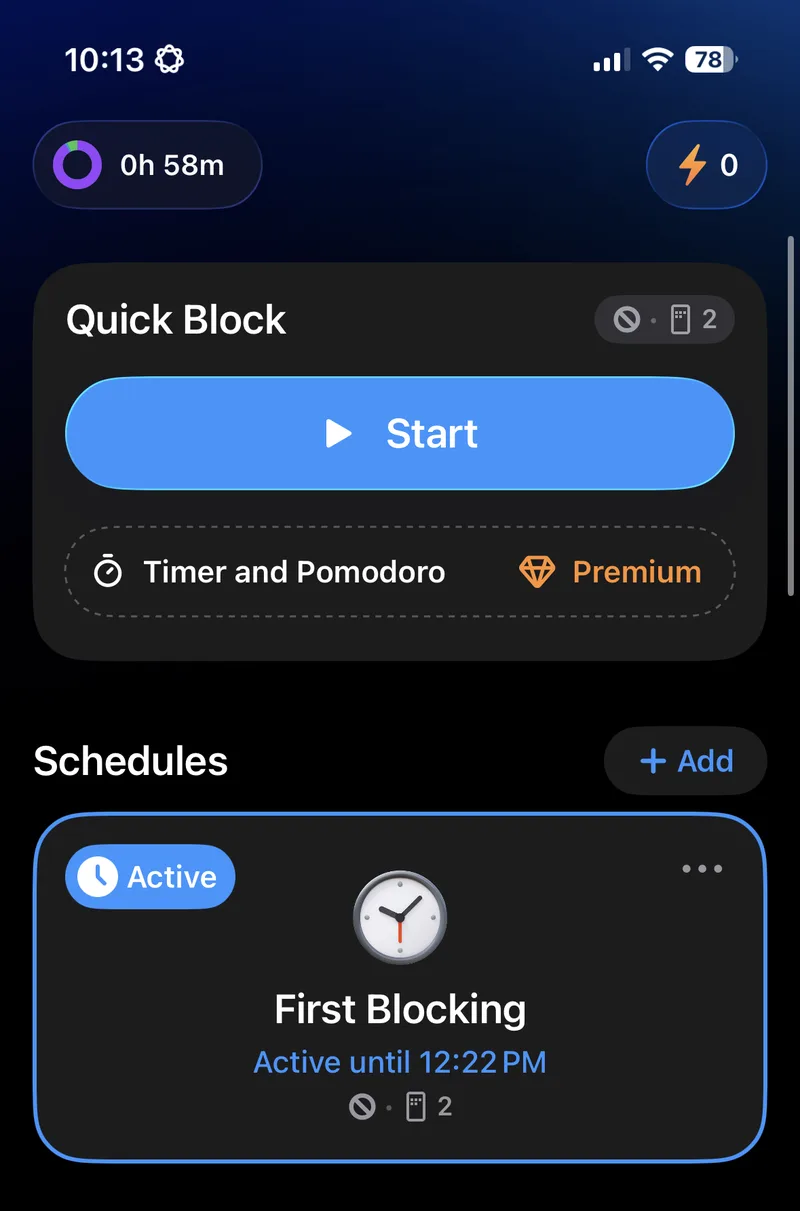
- Quick Block. Start a block on the apps you picked right away. Timer and Pomodoro are marked Premium.
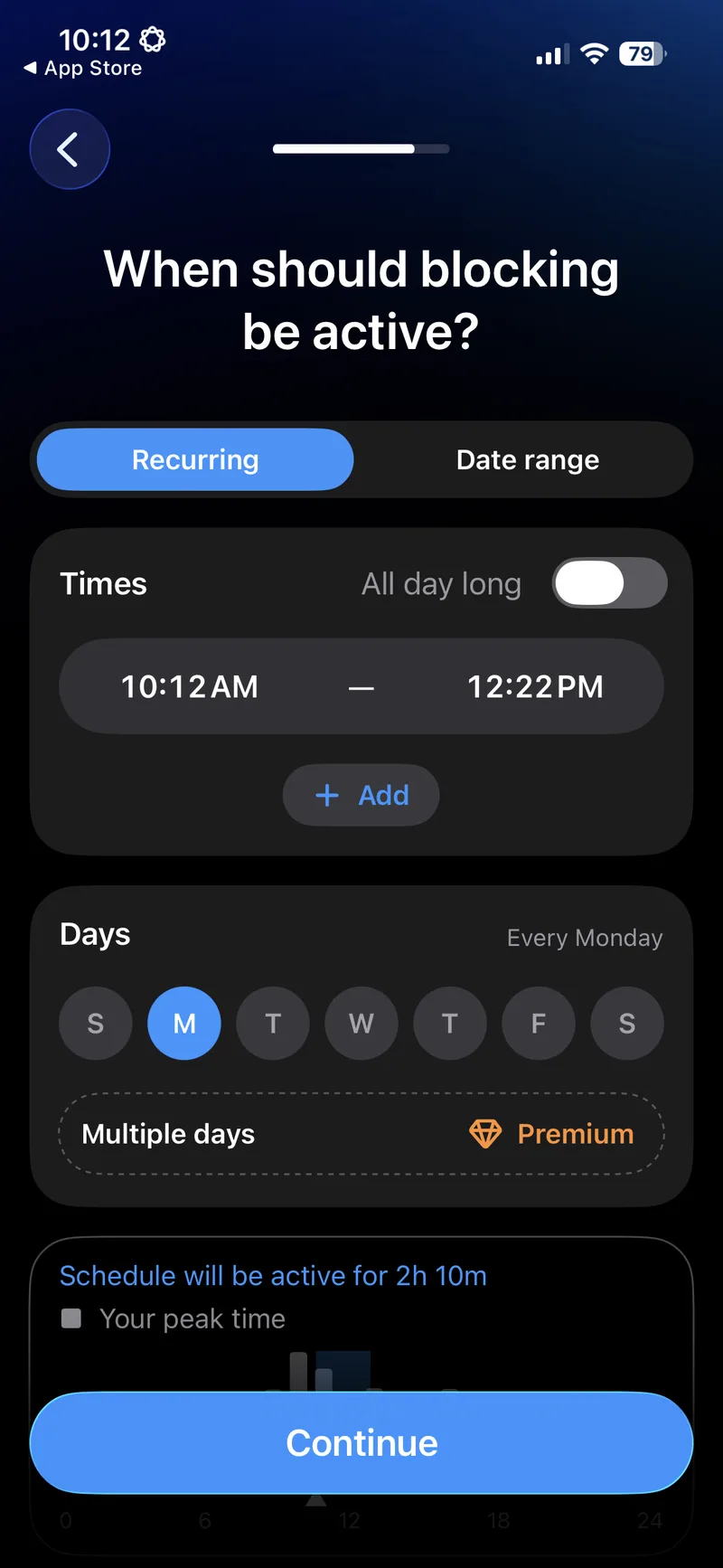
- Schedules. You choose when blocking should be active: Recurring or a Date range, with set times (or All day long) and days. Picking multiple days is marked Premium.
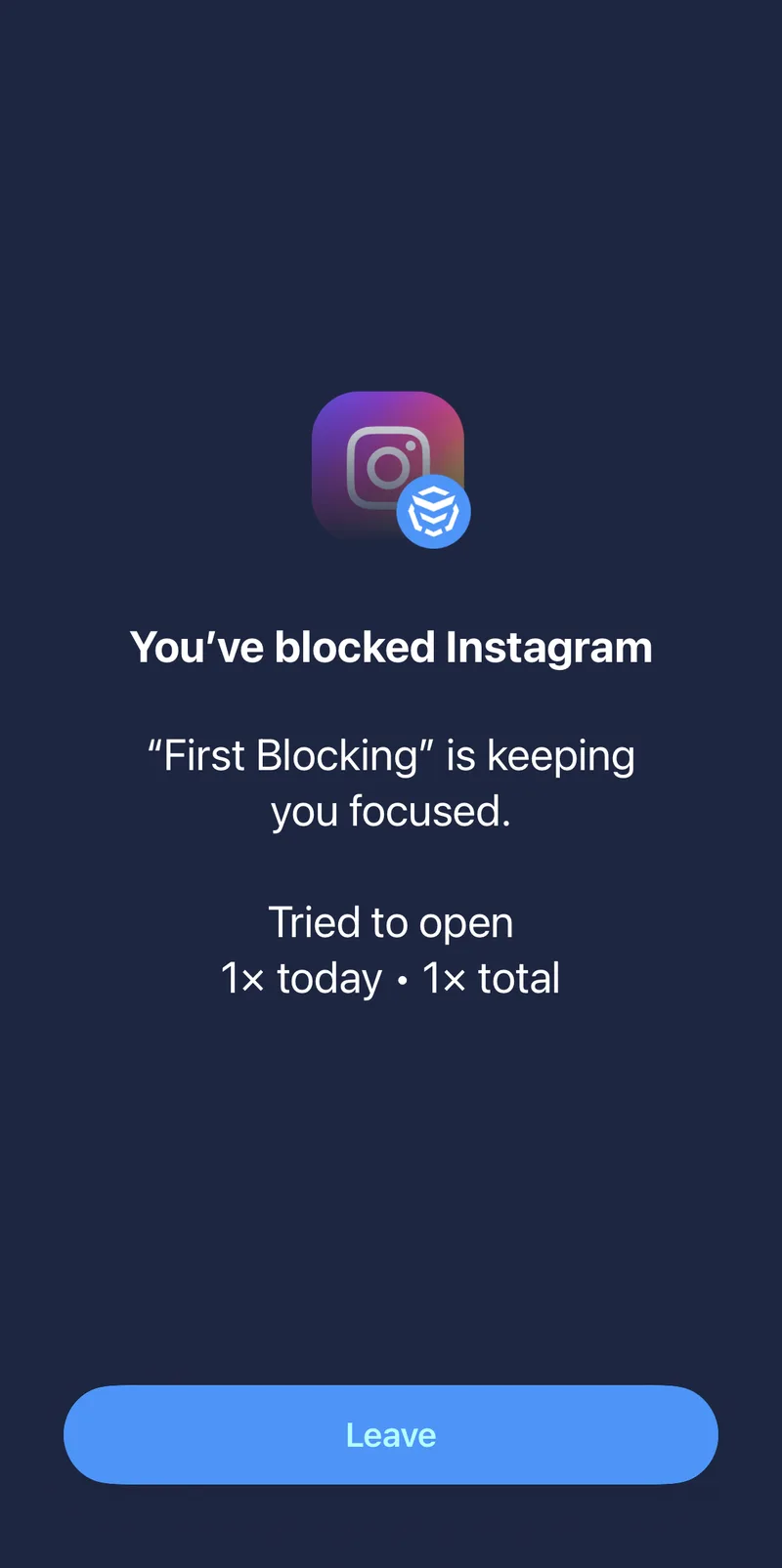
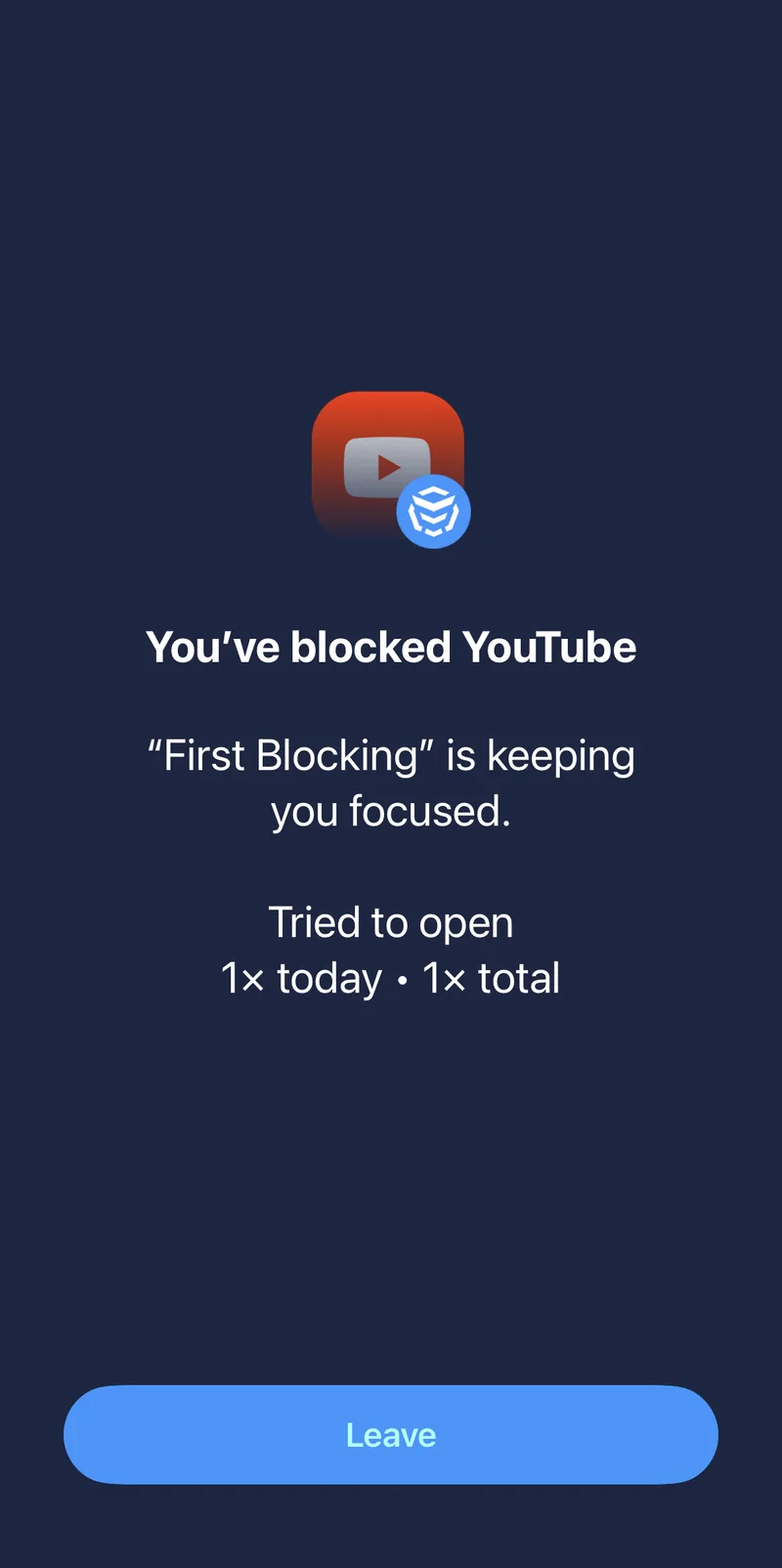
When a block is on and you open a blocked app, you get a full-screen page that says “You’ve blocked Instagram,” names the schedule that’s keeping you focused, and counts how many times you tried to open the app. The only button is Leave.
It’s a solid blocker, and plenty of people like it. If you want whole apps gone during set hours, it’s a good pick.
AppBlock vs Scroll Less: hands-on test
Tested by the Scroll Less team on November 2, 2026.
Method
- Device: iPhone running iOS 26.6.2.
- AppBlock: AppBlock 4.14.0 (App Store version), tested November 2, 2026.
- Scroll Less: control run on October 31, 2026 on iOS 26.6.2 (the same run from our ScreenZen test).
- Steps:
- Set up AppBlock in the most targeted way it allows for Instagram Reels and YouTube Shorts.
- Create a recurring schedule, “First Blocking,” on Instagram and YouTube (10:12 AM to 12:22 PM, Mondays).
- Open Instagram and YouTube with the schedule active.
- With Scroll Less (Oct 31 control run): open Reels, open Shorts, open an Instagram DM, search Instagram and watch a regular YouTube video.
What we found
AppBlock’s setup goes app by app. There was no way to target only Reels or Shorts, and no built-in browser for Instagram or YouTube. So the most targeted setup was a schedule on Instagram and YouTube. With it active, the whole app was blocked, so DMs, search and regular videos were blocked along with Reels and Shorts.
| Action | AppBlock (“First Blocking” schedule on Instagram and YouTube) | Scroll Less |
|---|---|---|
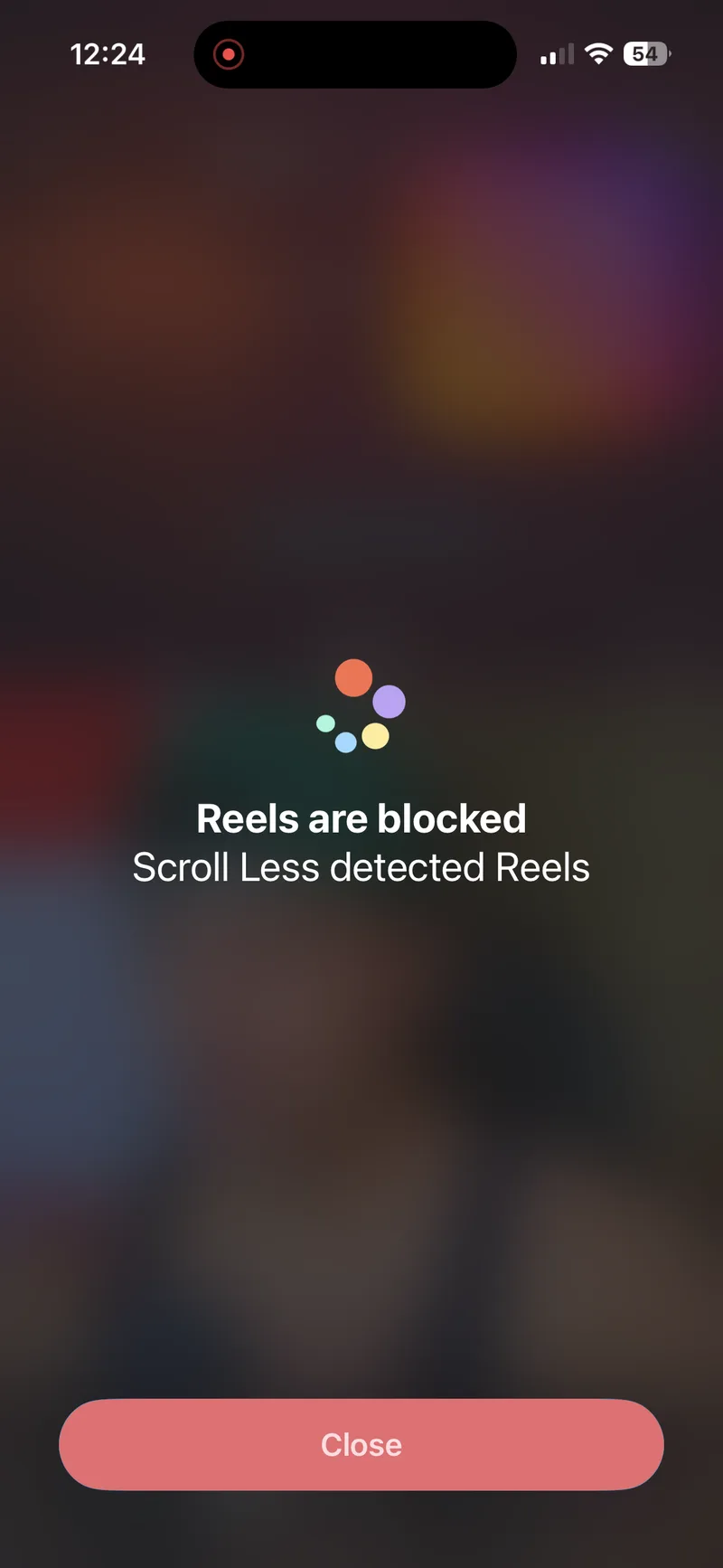
| Open Reels in Instagram | The whole app was blocked (“You’ve blocked Instagram”) | Blocked (“Reels are blocked”), rest of the app works |
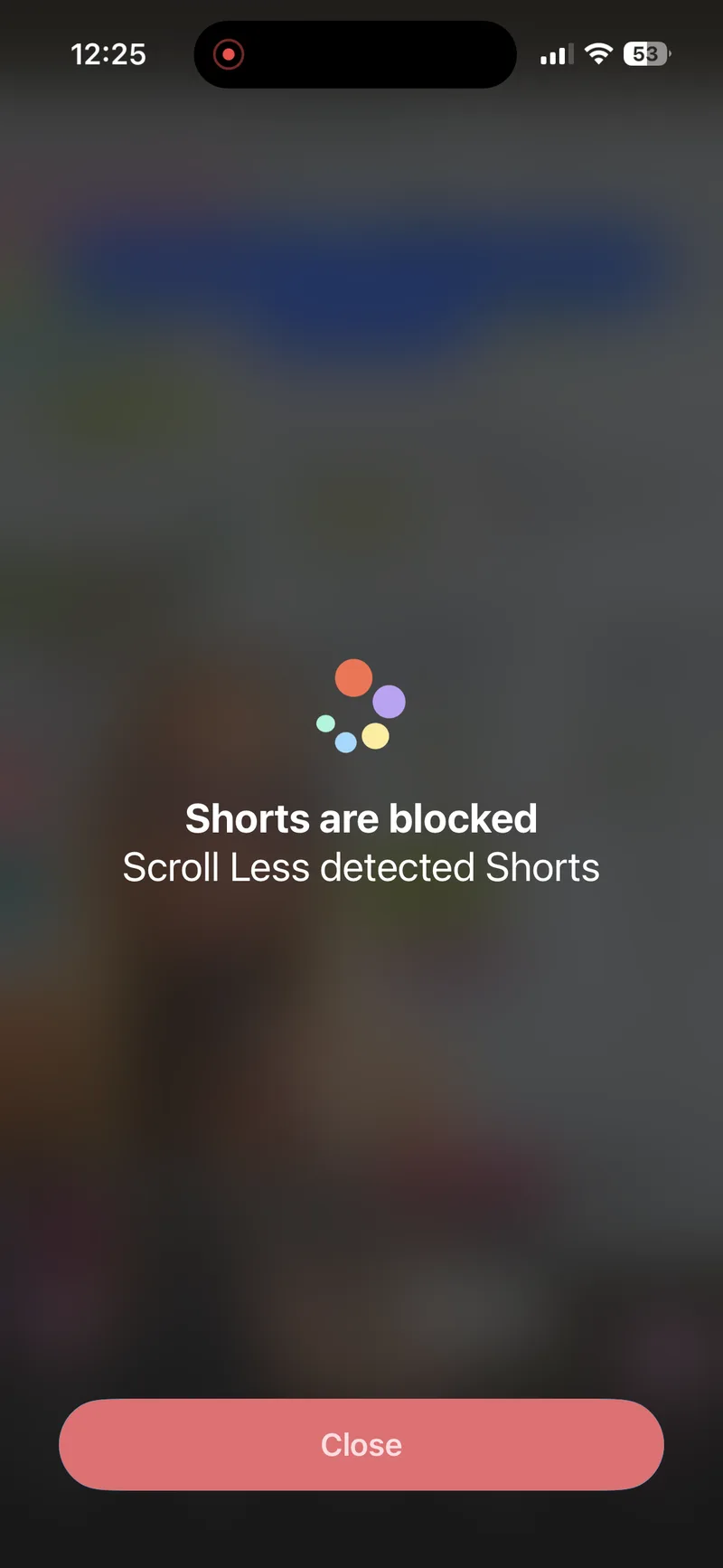
| Open Shorts in YouTube | The whole app was blocked (“You’ve blocked YouTube”) | Blocked (“Shorts are blocked”), rest of the app works |
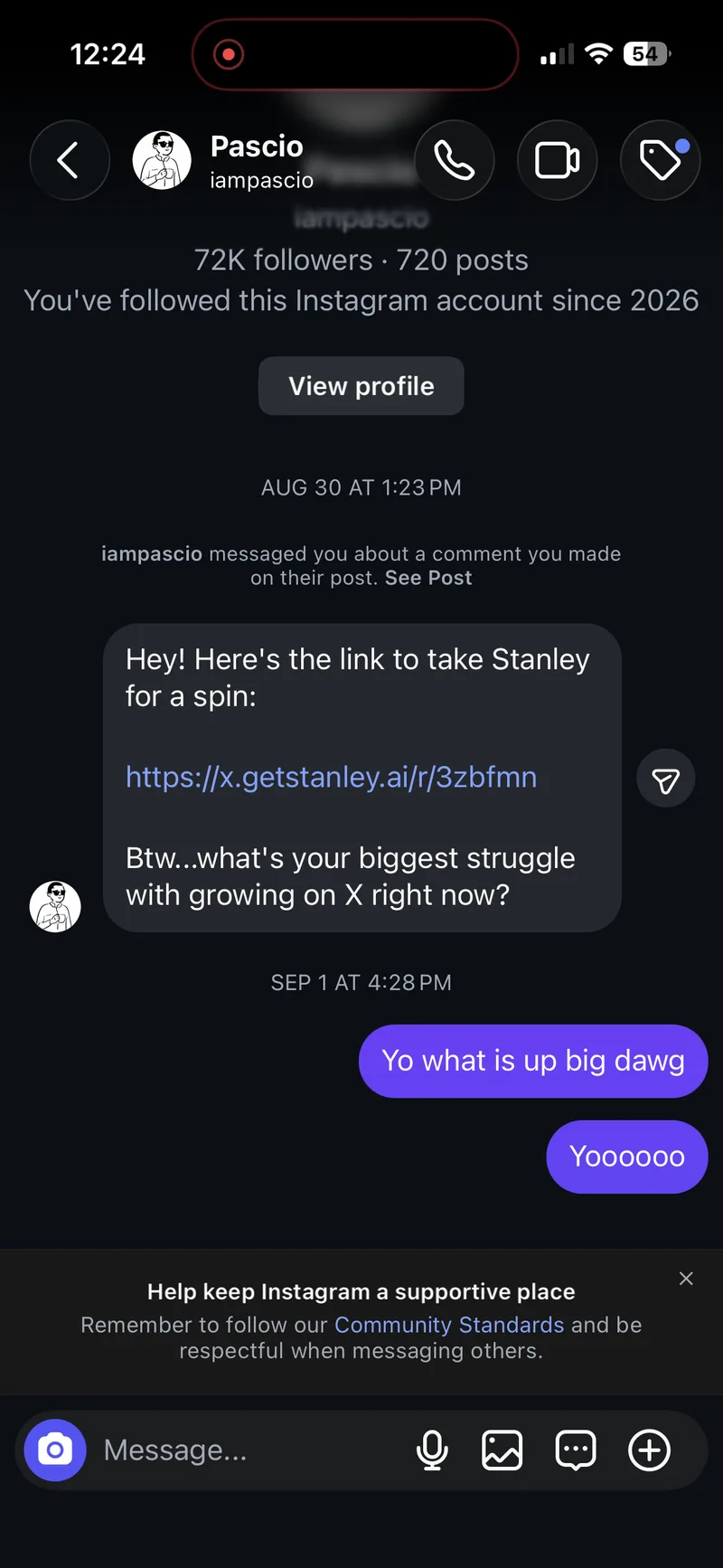
| Open an Instagram DM | Blocked, because the whole app was blocked | Works |
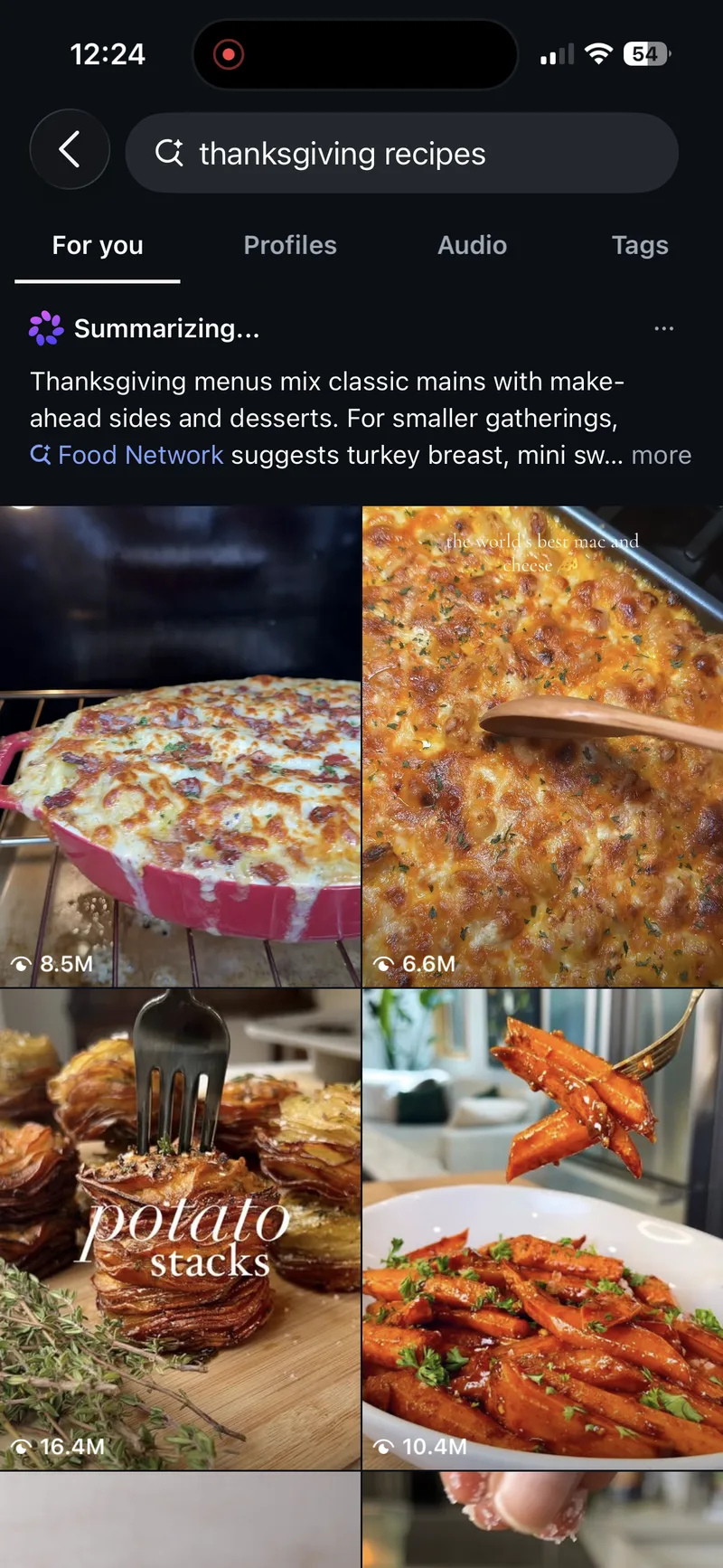
| Search in Instagram | Blocked, because the whole app was blocked | Works |
| Watch a regular YouTube video | Blocked, because the whole app was blocked | Plays |
| Block only Reels or Shorts? | No option for this | Yes |
| Built-in browser | None | Optional extra |
A few notes from the test:
- AppBlock’s block screen read “‘First Blocking’ is keeping you focused. Tried to open 1× today,” with a single Leave button. There was no way into the app from that screen.
- With Scroll Less, tapping into Reels or Shorts brought up a “Reels are blocked” or “Shorts are blocked” screen. In the same apps, a DM thread opened with the message box ready, an Instagram search loaded and a regular YouTube video played.
What else you get with Scroll Less
Blocking Reels and Shorts is the main event. A few extras come along:
- Shorts blocked in the Shorts tab, and on Home and in search when tapped.
- Stories, search, posting, your profile and DMs keep working in Instagram.
- YouTube comment blocking and a YouTube mini player.
- Distraction-free views, Reddit support and widgets.
- A built-in browser, if you also want to hide things like Explore and the feed.
Who each app suits
- Scroll Less suits you if you want to keep Instagram and YouTube, minus Reels and Shorts, with DMs and regular videos untouched.
- AppBlock suits you if you want whole apps gone on a schedule, like a work morning or a study block, with a block screen you can only leave.
They aren’t either/or. You could run an AppBlock schedule on games during work hours and use Scroll Less on Instagram and YouTube.
For the full lineup, see the best apps to block Reels and Shorts on iPhone and the best app to block YouTube Shorts on iPhone.
How to try Scroll Less
- Download Scroll Less from the App Store.
- Open it and follow the setup steps.
- Choose what to block (Reels, Shorts, or both), then start the Blocker.
- Go back to Instagram and YouTube and use them like normal.
For a walkthrough, see how to block Reels on Instagram on iPhone.
Frequently asked questions
What’s the best AppBlock alternative for iPhone?
If you want to keep Instagram and YouTube and only lose Reels and Shorts, Scroll Less. It blocks them inside the real apps, and your DMs, search and regular videos keep working.
Can AppBlock block only Reels or Shorts?
No. In our Nov 2, 2026 test, AppBlock had no option to block only Reels or Shorts inside the real Instagram or YouTube apps. Its blocks cover the whole app.
Does AppBlock have a built-in browser for Instagram or YouTube?
No. We didn’t find one in our Nov 2, 2026 test. You use the regular apps, and AppBlock blocks them while a block is on.
Do I need to use Instagram in a browser to block Reels with Scroll Less?
No for Reels and Shorts: those are blocked inside the real Instagram and YouTube apps. The built-in browser is an optional extra for hiding things like Explore and the feed.
Can I keep Instagram DMs and still block Reels?
Yes. With Scroll Less, full-screen Reels are blocked in Instagram, and DMs, Stories, search, posting and your profile keep working.
Do I have to delete Instagram or YouTube?
No. You keep both apps and your existing accounts. Scroll Less blocks Reels and Shorts, and the rest stays.
Keep the app, lose the feed
A schedule that locks Instagram until noon is great for focus. Being able to answer a friend at 10:30 without Reels waiting is nicer. Scroll Less blocks Reels and Shorts, so opening Instagram for a DM is just… a DM.